
Quick summary
Content Snare ranks first on our security checklist for accounting, legal and lending firms collecting sensitive documents, with ISO 27001 and a choice of client access. ShareFile suits firms needing hosting outside the US, SmartVault suits US tax firms tied to tax software, and TitanFile suits firms replacing email attachments with Canadian or EU hosting.
This is for the partner or practice manager at an accounting, legal, mortgage and lending, financial planning or insurance firm who has been told to stop emailing tax returns and ID documents. It covers tools for collecting sensitive documents and information from clients, rather than for storing your firm’s own files. We checked all ten against the same seven security questions, and each entry shows the evidence.
The shortlist
- 1 Content Snare : Best for collecting sensitive documents, with a choice of client access
- 2 ShareFile : Best for two-way file exchange, hosted in the region you choose
- 3 SmartVault : Best for US tax firms wanting one vault tied to tax software
- 4 TitanFile : Best for replacing email attachments, with Canadian or EU hosting
- 5 Egnyte : Best for IT-led firms replacing a file server, portal as add-on
- 6 FileCloud : Best for running it on your own servers
- 7 Moxo : Best for multi-step client processes with several sign-offs
- 8 FileInvite : Best for lenders collecting borrower documents by secure link
- 9 Clinked : Best for white-labelled portal with EU hosting by default
- 10 Liscio : Best for US tax firms wanting client files sorted automatically
How we compared them
We’re a software and automation team that works with professional firms. We compared these tools on six things:
| Criterion | What we checked |
|---|---|
| Independent certification | Does it hold ISO 27001 or a SOC 2 Type II report from its own audit, and can you see the certificate or ask for the report? |
| Encryption | Is data encrypted in transit and at rest, and does anything go further, like separate keys per customer? |
| Two-factor sign-in | Is it available for your team’s accounts, on which plan, and can you make it compulsory? |
| Client access | Can clients get in by link, by login, or both, and can you add a PIN, password or expiry? |
| Activity record | Is there a record of who viewed, uploaded or changed what, and when? |
| Data location | Where is the data hosted, and can you choose the region? |
After Content Snare, we ranked tools by how much of the checklist each can show evidence for, then by fit for firms without an IT team.
Sources: each vendor’s product, help, security and trust pages, public certificate registers where one exists, and user reviews on G2, Capterra and Reddit, checked September 2026. We don’t publish scores, and we don’t list prices. Each entry names the pricing model and links to the vendor’s current pricing.
Not included: general cloud storage (Dropbox, Google Drive, OneDrive) and practice management systems with a portal inside (TaxDome, Karbon), because neither is sold as a secure client portal.
The security checklist
Most secure portal pages promise “bank-grade security” and show a padlock. Neither tells you whether anyone outside the company has checked. A regulated firm should be able to answer seven questions about a portal before a client uploads anything:
- Independent certification. Someone outside the company has audited its security, for ISO 27001 or a SOC 2 Type II report. A badge on the website isn’t the same thing, so ask for the certificate or the report.
- Encryption in transit and at rest. Nine of the ten tools here state both, so this item won’t separate them on its own. What separates them is whether an audit checked it.
- Access control inside your firm. Staff see only what their role allows, and one customer’s data is walled off from another’s. It isn’t a column in the table, because every tool here except Liscio describes role-based permissions and we found nothing to separate them.
- How clients get in. By a link, a login or both, and what protects the link. The section on links versus logins covers the trade-off.
- An activity record. Who opened, uploaded, changed or approved what, and when. It’s what you show when a client insists they sent it.
- Two-factor sign-in. It should be compulsory for your team. Check which plan includes it.
- Where the data is hosted. Some firms have a policy or a sector rule that sets the region. Ask where, and get the answer in writing.
ISO 27001 or SOC 2?
ISO 27001 is an international standard. An accredited certification body audits the company’s whole information security management system, including how it assesses risk, which controls it chose and why, its internal audits and its management reviews. If it passes, the body issues a certificate, and yearly surveillance audits keep it current.
SOC 2 is a US attestation. A CPA firm reports on whether a vendor’s controls were designed properly and, in a Type II report, whether they worked over a set period. A Type I report covers a single day, so it tells you less. Either standard is a sound choice. US buyers tend to ask for SOC 2, and firms in Australia, the UK and Europe tend to ask for ISO 27001.
The 10 tools against the checklist
| Tool | Independent certification | Encryption at rest | Two-factor for your team | Client access options | Activity record | Choose where data is hosted |
|---|---|---|---|---|---|---|
| Content Snare | Yes1 | Yes2 | Yes3 | Yes4 | Yes | No5 |
| ShareFile | Yes6 | Yes | Yes | Yes7 | Yes | Yes8 |
| SmartVault | Yes9 | Yes | Yes | Partial10 | Yes | Not stated11 |
| TitanFile | Yes12 | Yes | Yes | Yes13 | Yes | Yes14 |
| Egnyte | Yes15 | Yes | Yes16 | Yes17 | Yes | Add-on18 |
| FileCloud | Yes19 | Yes | Partial20 | Yes21 | Yes | Yes22 |
| Moxo | Yes23 | Yes | Yes | Yes24 | Partial25 | Not stated |
| FileInvite | Yes26 | Yes | Yes | Partial27 | Yes | Partial28 |
| Clinked | Partial29 | Yes | Partial30 | Yes31 | Yes | Yes32 |
| Liscio | Partial33 | Not stated | Not stated | Partial34 | Not stated | Not stated |
- ISO 27001:2022, independently audited, with yearly surveillance audits. The certificate is available through its trust centre, on request, under a non-disclosure agreement. It has no SOC 2 report.
- The database is encrypted at rest, and stored answers are encrypted again with a separate key for each customer account.
- By authenticator app. An administrator can make it compulsory for every team member, and clients with an account can turn it on for themselves.
- An unguessable link by default, plus confidential fields, a PIN the client sets, or a full client account.
- Hosted on AWS in the United States, with backups on Google Cloud in the United States.
- ISO 27001 and SOC 2 Type II, both listed on its trust centre and issued to Progress Software.
- Clients can send files through a File Drop Link without logging in. Request lists use the password-protected client portal.
- Storage zones in the US, the EU (Dublin and Frankfurt), Australia, Canada and other regions, set up on request through support. We found no UK zone listed.
- States SOC 2 Type 2 and ISO 27001 on its security page. Ask for the certificate.
- Clients use a guest user account. Its security page says documents can only be reached after logging in.
- Hosted on AWS in “multiple geographic regions”, and it doesn’t name them.
- SOC 2 Type II, with a named auditor’s seal (360 Advanced). The report goes to Enterprise customers under a non-disclosure agreement. ISO 27001, 27017 and 27018 are also claimed, so ask for the certificates.
- A Secure Submit form for sending files in with no login, or a password account for two-way channels.
- US, Canadian or EU hosting on every plan. We found no Australian option.
- ISO 27001 on BSI’s public register (certificate IS 640114). Its SOC 2 Type 2 report is available on request.
- Compulsory for every account with a login, clients included, and administrators can’t switch it off.
- Share links with a password or expiry, upload links with no login where the uploader types their own name, or a portal login through the Document Portal add-on.
- Accounts are hosted in the US or the EU. File storage can be placed in Australia, Canada, the UK and some other countries as a paid extra.
- ISO 27001:2022 and SOC 2 Type 2 from named auditors, listed on its trust centre. They don’t cover a copy you run on your own servers.
- Not on the Essentials plans. It starts on Advanced.
- Public links with an optional password, expiry or upload-only setting, or free external accounts with a login. Uploads through a public link are logged as “ANONYMOUS”.
- Hosted regions include the US, Canada, Ireland, London, Frankfurt and Sydney, or you can run it on your own servers. Trials run in US East, Ireland or Singapore.
- SOC 2 Type II and SOC 3, stated on its security page. Ask for the report.
- A magic link by default. A client password, client two-factor and link expiry depend on the plan.
- The audit log is on the Scale plan and above.
- An annual SOC 2 Type II audit, stated on its security page. It doesn’t claim ISO 27001.
- A secure link only. We found no client account option.
- Hosted on AWS. Enterprise customers can choose a region.
- The homepage says ISO 27001 certified. Its UK government G-Cloud filing says “aligned to ISO/IEC 27001 principles”.
- On the Premium plan and above.
- Client accounts by default, plus guest shares and file request links that need no account.
- Ireland by default, with UK, US or Asia Pacific hosting on request.
- States “SOC 2 certified”, with no report type given. Its security page returns a 404.
- Invite-only client accounts, on the web or in its app.
The tools, ranked
1. Content Snare
Best for: regulated firms collecting sensitive documents, with a choice of how clients get in
- Type
- Collection portal
- Client login
- Optional
- Pricing model
- Flat plans by volume
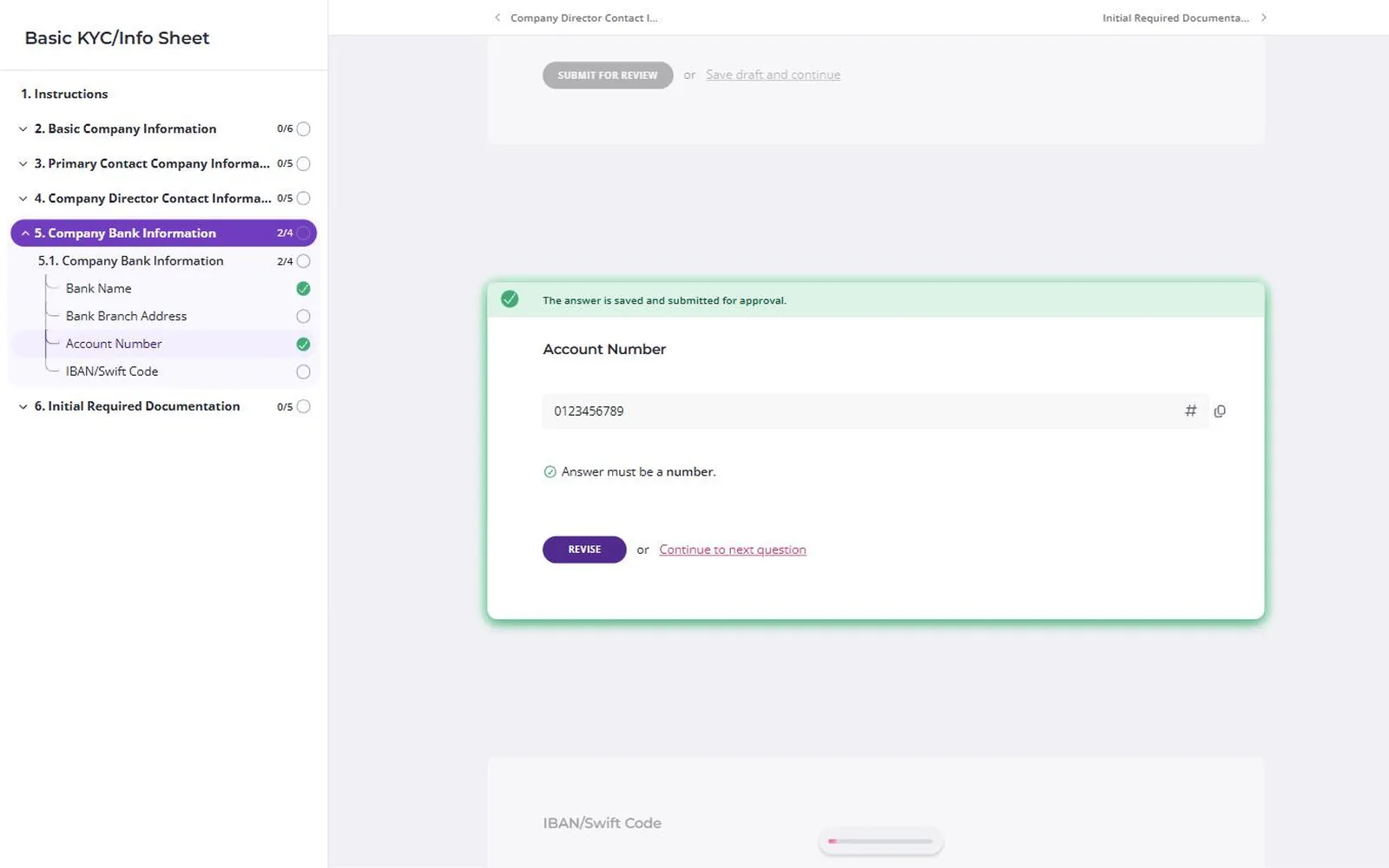
Content Snare is a secure client portal for collecting tax documents, ID, loan documents, and KYC and AML evidence, through a checklist of questions and uploads.
Why Content Snare is on the list
It’s ISO 27001 certified and independently audited, with yearly surveillance audits, and the certificate is available through its trust centre on request, under a non-disclosure agreement. Data is encrypted in transit with TLS 1.2 or 1.3, the database is encrypted at rest, and stored answers are encrypted again with a separate key for each customer account. Each customer’s data is walled off, and permissions are checked on every request. An administrator can make two-factor sign-in compulsory for the whole team.
As a secure document portal, it lets you choose for each request whether clients get in by an unguessable link, confidential fields, a PIN or a full account.
Content Snare pros
- Confidential fields hide tax file numbers once submitted
- A log of every view, submission and deletion
- Blocks common and compromised passwords
Content Snare cons
- Hosted on AWS in the United States only, so it won’t suit a firm that must host in the EU, UK or Australia. It’s GDPR compliant, through a Data Processing Agreement with the EU standard contractual clauses and the UK Addendum, with Prighter Group as its EU and UK representative.
- No SOC 2 report. A US buyer whose checklist demands SOC 2 would have to accept its ISO 27001 certificate instead.
- Not HIPAA compliant, so it doesn’t suit US firms handling health information.
- Its signature field records a drawn sign-off. Signing a PDF, uploaded or exported, takes a separate FuseSign or Annature subscription.
What Content Snare users say
Very useful for secure collection of data from various clients. Most of our customers are comfortable with it.
As an accounting firm, we’re great at taxes and accounting, but we didn’t want to specialize in security. Content Snare solved that. Client tax file numbers and personal information aren’t shared to email or visible to all staff.
Director & Founder, Box Advisory
Integrations: Google Drive, Dropbox, OneDrive, SharePoint, Xero Practice Manager, FYI, SuiteFiles, Zapier, Make, and an API with webhooks. You can send a PDF, uploaded or exported from the request, to FuseSign or Annature for the client to sign. It’s used alongside Karbon, though there’s no native integration.
Pricing model: Flat monthly plans, tiered by how many requests are open at once, with unlimited clients on every plan.
2. ShareFile
Best for: firms swapping large files with clients that need hosting outside the US
- Type
- File sharing + requests
- Client login
- Optional
- Pricing model
- Per user, minimum seats
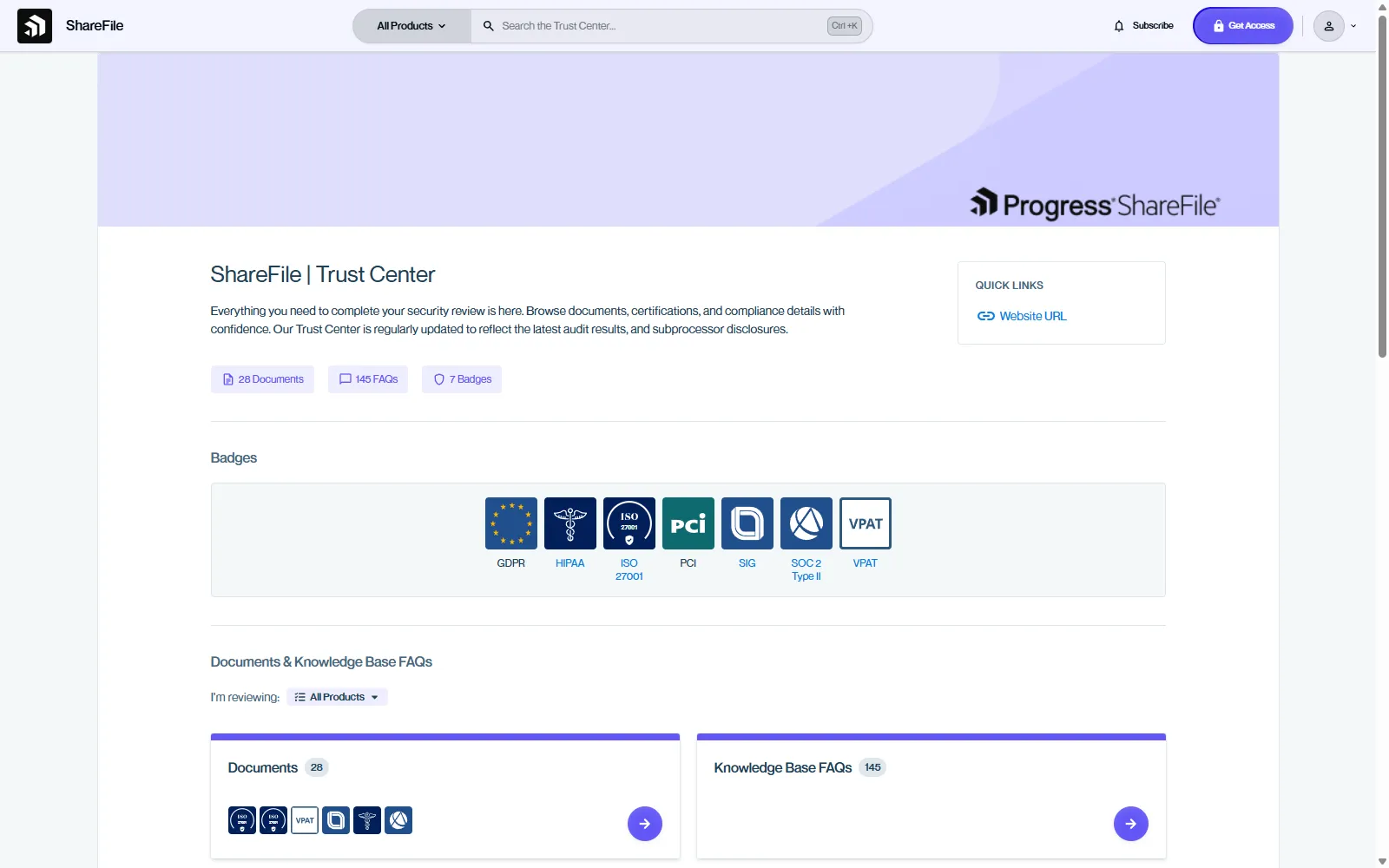
ShareFile is file sharing, document request and e-signature software for professional firms, owned by Progress Software.
Why ShareFile is on the list
It lists ISO 27001 and SOC 2 Type II on a public trust centre, which only ShareFile and FileCloud do here. Staff get multi-factor sign-in, and storage zones in the EU, Australia, Canada and elsewhere keep files outside the US, on request.
ShareFile pros
- Both certifications checkable on one trust centre
- Upload links that need no client account
- E-signature built in, with bulk send
ShareFile cons
- We found no automatic reminders for outstanding requests, which forum users asked for in 2025.
- Request lists, forms and e-signature start on Premium, three users minimum.
- Its Xero and QuickBooks integrations are for “U.S. based control planes only”.
What ShareFile users say
I like that Progress ShareFile is secure and easy to use, which gives me confidence that important files are protected and only accessible to the right people.
Integrations: Microsoft 365, Gmail, Google Drive, Salesforce, QuickBooks Online and Xero (US only), Zapier and single sign-on. E-signature is built in.
Pricing model: Per user, per month, with a three-user minimum. Request lists, forms and e-signature start on the Premium plan.
3. SmartVault
Best for: US tax firms that want storage, requests and tax software in one vault
- Type
- Document management + portal
- Client login
- Yes (client account)
- Pricing model
- Per user, minimum seats
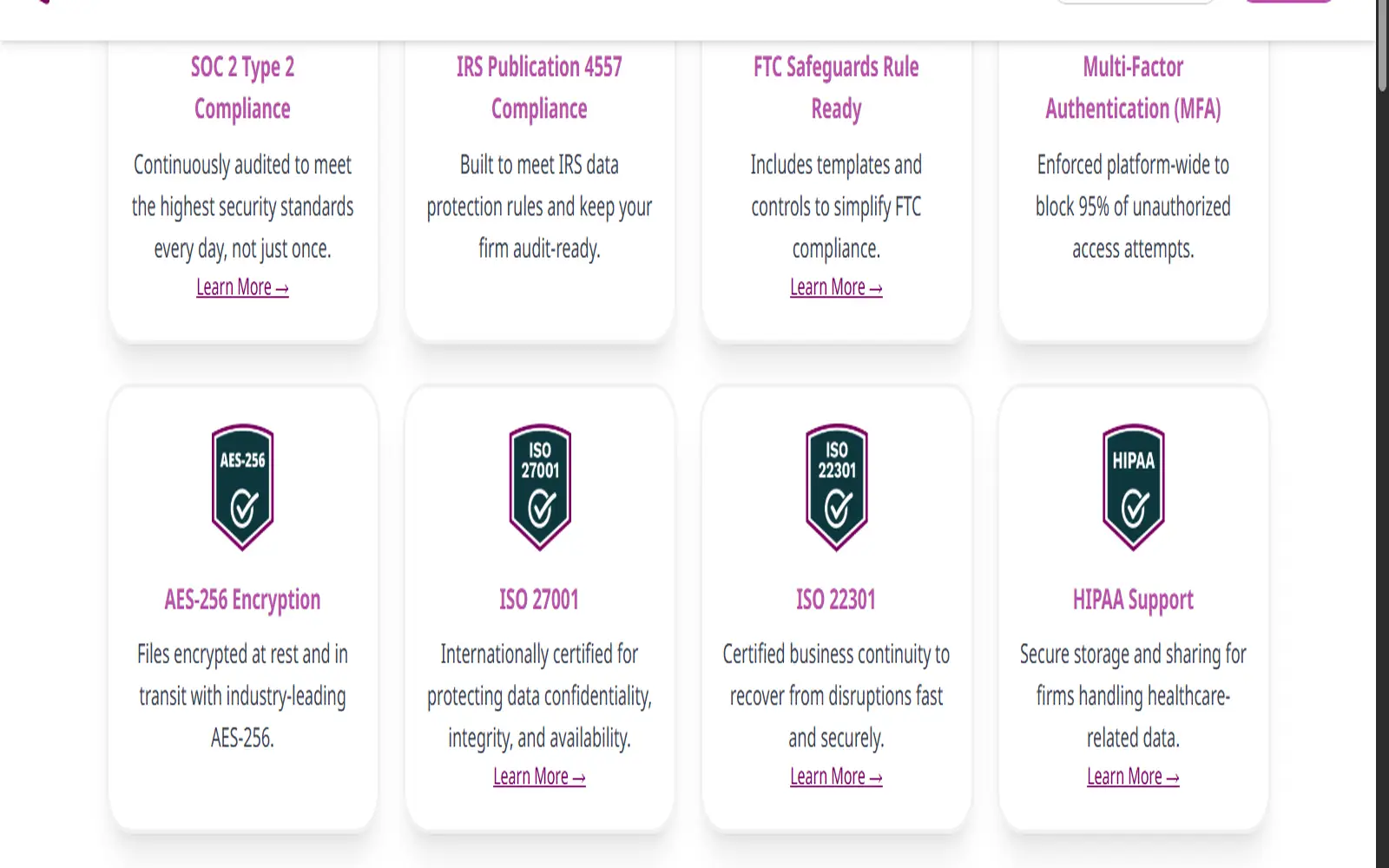
SmartVault is document management software for US accounting firms, with a client portal and document requests, and it stores the firm’s own files too.
Why SmartVault is on the list
SmartVault states SOC 2 Type 2 and ISO 27001, AES-256 encryption at rest and multi-factor sign-in enforced for all users. Ask for the certificate. It’s built around US tax work. Returns print from Lacerte, ProSeries and ProConnect into the client’s folder.
SmartVault pros
- Files client emails from Outlook into the vault
- States a business continuity certification (ISO 22301) too
- Sends one request template to hundreds of clients
SmartVault cons
- Clients need a guest user account before they can reach anything.
- Signing and ID checks go through DocuSign, at extra cost on the two lower plans.
- Data is hosted on AWS in “multiple geographic regions” that it doesn’t name.
What SmartVault users say
It is a very secure program that allows ease of upload for staff & ease of access for clients.
Integrations: Lacerte, ProSeries and ProConnect (direct), UltraTax CS, Drake and CCH Axcess (configurable), QuickBooks, TaxCalc, Outlook, DocuSign for signing, and an open API.
Pricing model: Per user, per month, with a two or three user minimum depending on the plan. Signing and ID checks through DocuSign cost extra on the two lower plans.
4. TitanFile
Best for: law and accounting firms replacing email attachments, with Canadian or EU hosting
- Type
- Secure file exchange
- Client login
- Optional
- Pricing model
- Per staff user, clients free
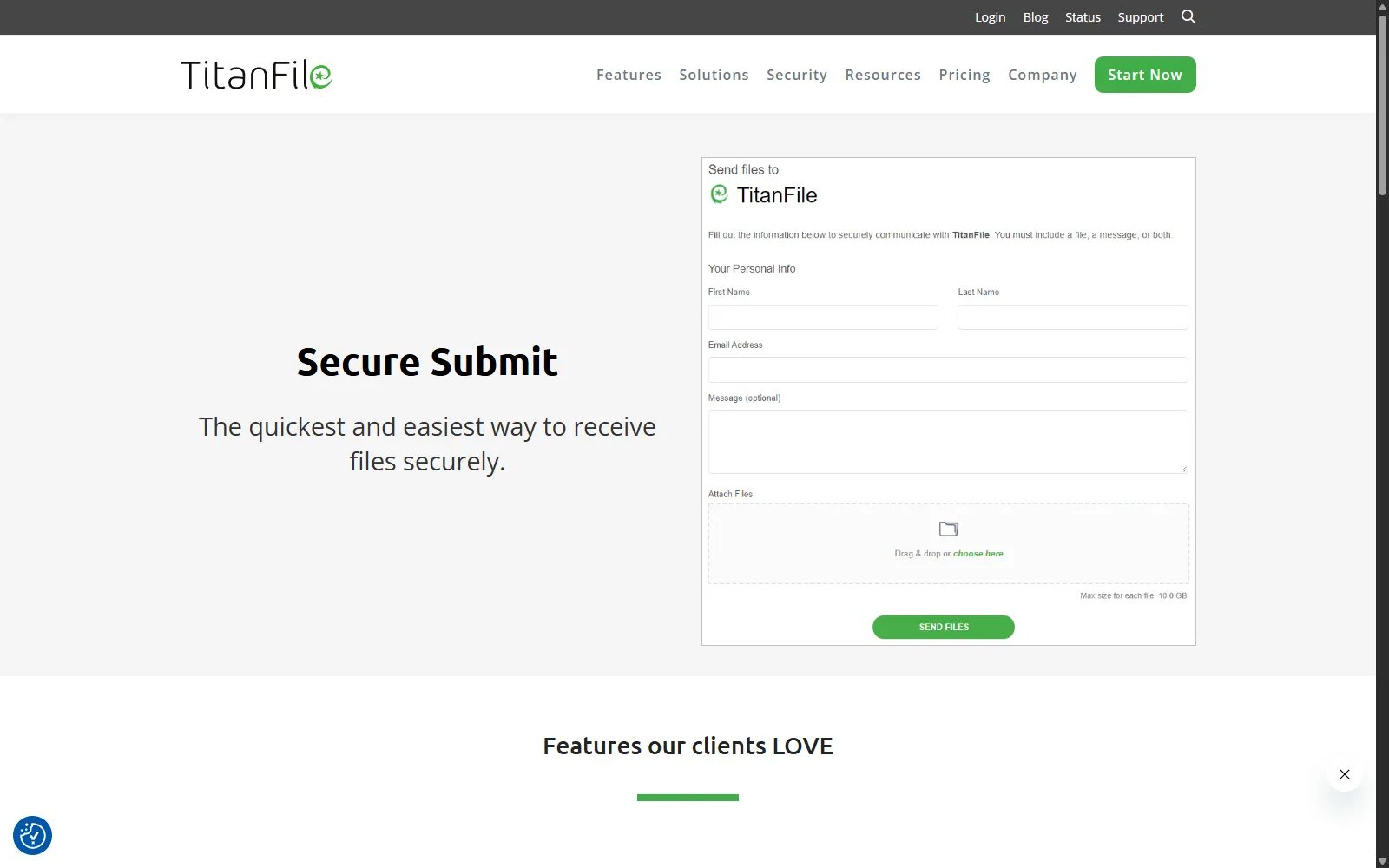
TitanFile is secure file exchange and messaging software, mostly used by law and accounting firms, with a channel for each client or matter.
Why TitanFile is on the list
Of the tools built for small firms, TitanFile publishes evidence for more of the checklist than the rest. Multi-factor sign-in, exportable audit logs and US, Canadian or EU hosting come on every plan, and its SOC 2 Type II carries a named auditor’s seal.
TitanFile pros
- Clients never pay or need a licence
- Two-factor by email, SMS, authenticator app or Duo
- Clients send files through Secure Submit without an account
TitanFile cons
- No request lists or automatic reminders. A 2026 G2 reviewer chases clients “via separate email threads” instead.
- We found no Australian hosting option.
- No Zapier or Make connection, and the API is a paid Enterprise add-on.
What TitanFile users say
It automatically logs every file view, download and modification with precise timestamps. These trail records help us finish required audit paperwork smoothly during annual internal reviews.
Integrations: Outlook (Secure Send, every plan), iManage, NetDocuments (Enterprise), Microsoft Dynamics 365, and DocuSign for signing (not on Business Starter).
Pricing model: Per internal user, billed monthly or annually, with minimum seat counts on the business and Enterprise plans. Clients never need a licence. The API is a paid Enterprise add-on.
5. Egnyte
Best for: multi-office firms with IT support that want a file server replacement first
- Type
- Enterprise file platform
- Client login
- Optional
- Pricing model
- Per user, annual

Egnyte is a cloud file platform that replaces an office file server, with a separate Document Portal add-on for clients.
Why Egnyte is on the list
Its ISO 27001 certificate is the only one here we could check on the certification body’s public register (BSI, IS 640114). With the Document Portal add-on, you get a structured request list.
Egnyte pros
- ISO 27001 certificate listed on BSI’s public register
- Two-step sign-in that administrators can’t switch off
- Accept or reject each uploaded document with a reason
Egnyte cons
- The portal add-on is priced through a specialist, and every portal client takes a paid user licence.
- Reviewers from 2019 to 2025 complain about renewal rises, a 30-day cancellation deadline and surprise user charges.
- Without the add-on, clients get upload links where they type their own name, so you can’t be sure who uploaded.
What Egnyte users say
It allows me to define very specific permissions, restrict information by folders, and I can see a complete history.
Integrations: Microsoft 365, Google Workspace, Salesforce, Microsoft Entra and SAML single sign-on, Zapier and an API. E-signature through Egnyte Sign (Elite and above) or DocuSign.
Pricing model: Per user, billed annually, across four platform tiers. The Document Portal add-on is priced through a specialist, and each portal client uses a paid user licence.
6. FileCloud
Best for: firms that want to run the portal on their own servers
- Type
- Enterprise file platform
- Client login
- Optional
- Pricing model
- Per user, annual
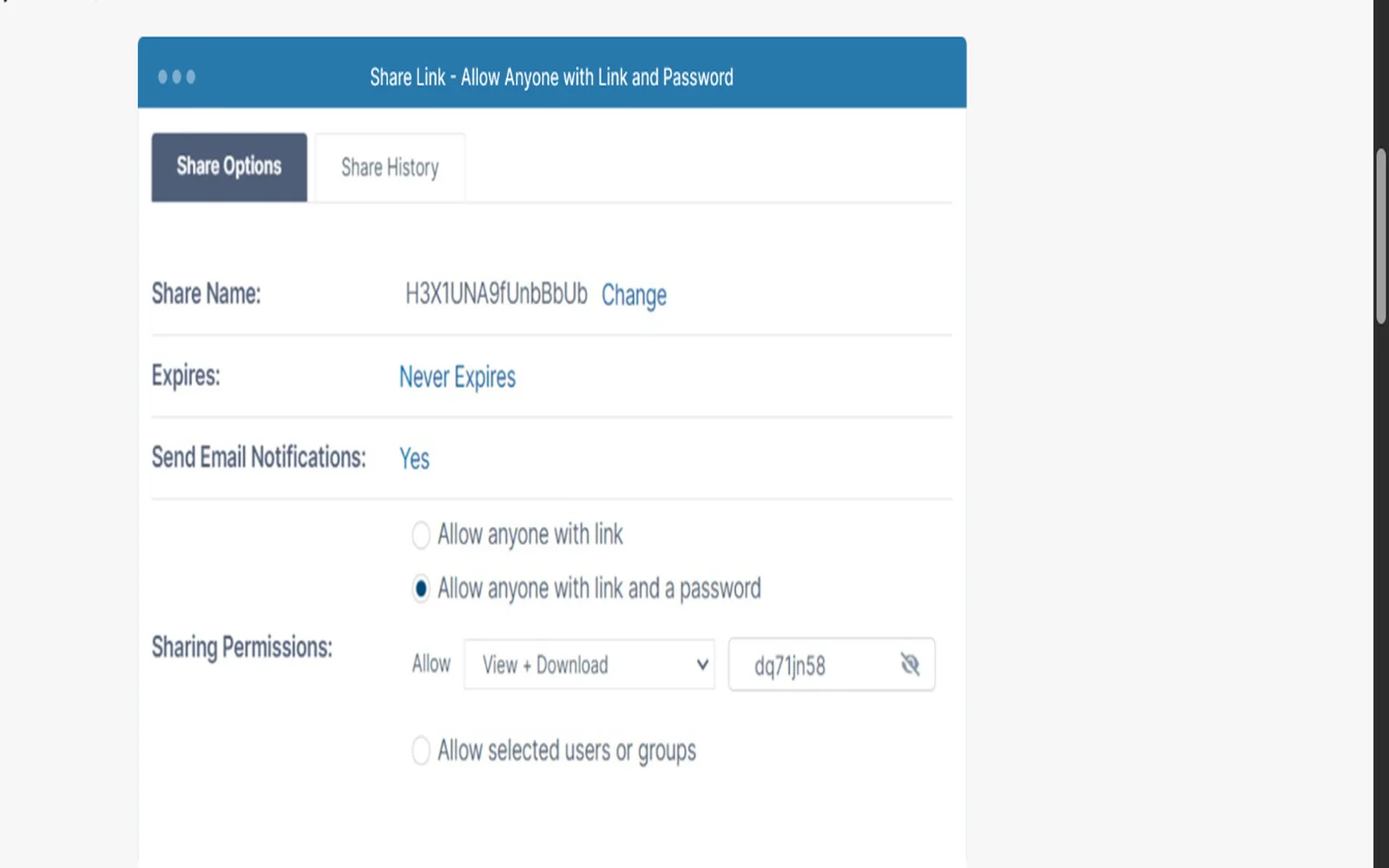
FileCloud is an enterprise file sharing platform, with client branding, that you run on your own servers or have FileCloud host.
Why FileCloud is on the list
It holds ISO 27001:2022 and SOC 2 Type 2 from named auditors, listed on a public trust centre. Since 2020, reviewers’ most common complaint is that setup needs IT skills.
FileCloud pros
- Host it yourself, or pick FileCloud’s hosting region
- See who did what, when and where
- Free, unlimited external accounts for clients
FileCloud cons
- No request lists, per-item status or reminders. Clients get a shared folder or an upload-only link.
- Two-factor sign-in isn’t on the Essentials plans.
- Self-hosted copies aren’t covered by the certifications, and patching falls to you.
What FileCloud users say
Sharing/permissions can get confusing. If you’re trying to lock things down tightly, it’s easy to second-guess whether you set access the way you meant to.
Integrations: Microsoft 365, Outlook, Teams, Active Directory, SAML single sign-on, Salesforce and Zapier. E-signature through Signority, its own product, on a separate licence.
Pricing model: Per user, billed annually, with a minimum licence count. Client accounts are free and unlimited. Signority e-signature needs a separate licence.
7. Moxo
Best for: financial services teams running multi-step client processes with several sign-offs
- Type
- Workflow portal
- Client login
- No (magic link)
- Pricing model
- Annual plans by volume
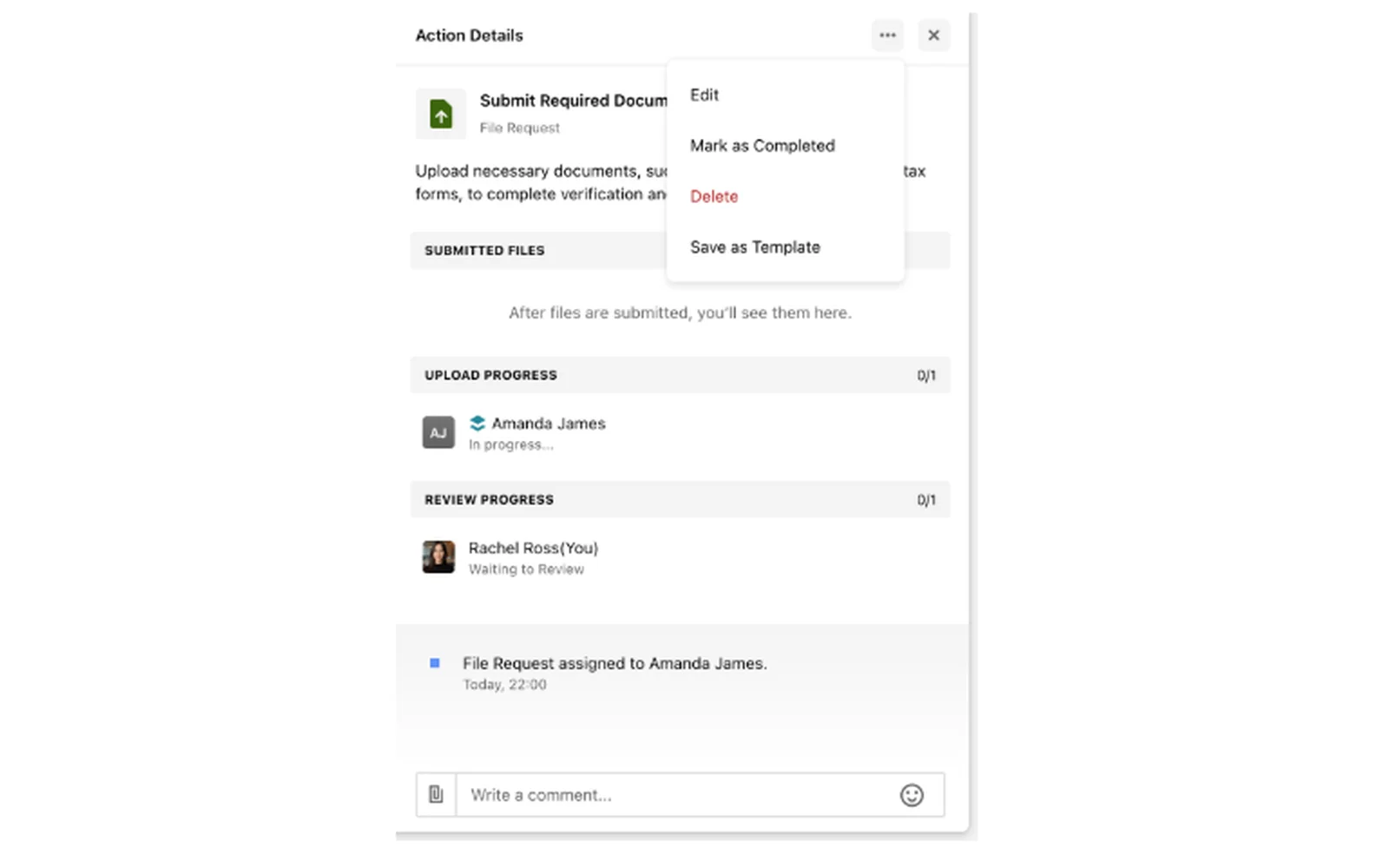
Moxo is a workflow platform with branded client portals, where uploads, forms, approvals and signatures are steps in a shared process.
Why Moxo is on the list
It’s built for banks, wealth managers and other regulated teams that run the same multi-party process many times, and it states SOC 2 Type II and SOC 3 on its security page. On some plans, you can add a client password to the default magic link.
Moxo pros
- Confirm or reopen each upload with a comment
- Client two-factor and link expiry on some plans
- Identity checks through Jumio and Yoti
Moxo cons
- The audit log, single sign-on and API are on the Scale plan and above.
- We found no named hosting regions.
- G2 puts its average implementation time at two months.
What Moxo users say
Moxo is designed to handle problems for large enterprises, making it costs inefficient for small companies
Integrations: Salesforce, HubSpot, Redtail, Wealthbox, QuickBooks, Xero, Google Drive and Zapier. E-signature is built in, plus a DocuSign action.
Pricing model: Annual plans with unlimited seats, metered by how many workflows you run each year. The audit log, single sign-on and API start on the Scale plan.
8. FileInvite
Best for: commercial lenders collecting borrower documents through a secure link
- Type
- Collection portal
- Client login
- No (secure link)
- Pricing model
- Annual plans by loan volume
FileInvite is a document collection platform for commercial and complex lending, used by banks, credit unions and SBA lenders. Borrowers upload from a secure link without creating an account. It states an annual SOC 2 Type II audit, TLS 1.2 and AES-256 encryption, and multi-factor sign-in on all plans, and it doesn’t claim ISO 27001. The main limit is that it’s built around loans.
Pricing model: Billed annually, with plans set by how many loans you process each year. Custom branding, single sign-on and the API are Enterprise only.
9. Clinked
Best for: UK and European firms wanting a white-labelled portal hosted in Ireland
- Type
- White-label portal
- Client login
- Optional
- Pricing model
- Per staff user, clients free
Clinked is a white-labelled client portal from Cambridge in the UK, hosted in Ireland by default with UK hosting on request. Its homepage says ISO 27001 certified, but its UK government G-Cloud 15 filing says “aligned to ISO/IEC 27001 principles”, so ask for the certificate. We found no automatic reminders on file requests, and two-factor sign-in starts on the Premium plan.
Pricing model: Per registered user, with unlimited guest and client users on every plan, and a discount for two-year terms.
10. Liscio
Best for: US tax firms that want client files read and renamed automatically
- Type
- Client portal + document AI
- Client login
- Yes (account or app)
- Pricing model
- Per user, plus per-item add-ons
Liscio is a client portal for US accounting firms that now leads with AI that reads, sorts and renames client files, plus tax organizers and a client app. Its public security documentation is thin. It says “SOC 2 certified” without giving a report type, its security page returns a 404, and we couldn’t find its hosting region or two-factor options. Ask for all three in writing.
Pricing model: Annual per-user packages. Tax organizer sends, return deliveries and e-signatures can also be bought one at a time.
What else we looked at
If you want the portal inside your practice management system, TaxDome and Karbon do that for accounting firms. If clients only need to drop a file in, Dropbox, Google Drive and OneDrive all have file requests. There’s no checklist, reminder or review step.
- Onehub: its security page relies on its hosting provider’s certificates rather than an audit of its own, and there have been no visible product updates since its 2021 acquisition.
Why email fails the checklist
Hold an email attachment up to the same seven questions and it fails most of them.
| Checklist item | Email attachment | A secure portal |
|---|---|---|
| Independent certification | Nobody audits your inbox as a document store | ISO 27001 or SOC 2 Type II, with a certificate or report you can ask for |
| Encryption in transit and at rest | Often, between servers, but not always, and not once it’s stored in each inbox | Both, checked by an audit |
| Access control inside your firm | Anyone the email is forwarded to can open the attachment | Staff see what their role allows |
| How clients get in | The file lands in an inbox, with nothing protecting it there | A link, a PIN or a login, chosen per request |
| Activity record | No record of who opened it | A log of views, uploads and changes |
| Two-factor sign-in | Up to each person’s email account | Compulsory for your team, on the right plan |
| Where the data is hosted | Wherever each recipient’s email provider stores it | A stated region, in writing |
As a financial services company in a highly regulated industry, having all our KYC and AML documents in one place is critical. Before Content Snare, we were sending PDF checklists via email and manually chasing clients for documents.
CFO, Capital Now Cannabis
Links versus logins
Client access trades simplicity against control. The more a client has to log in, the better your control and your record of who did what. The less they have to, the more of them finish.
Content Snare has four access levels, from least friction to most control:
- An unguessable link. No account and no password. The link stops working when the request is closed or archived, which is enough for most requests.
- Confidential fields. For a tax file number or a social security number. Once it’s submitted, nobody can view it again through the link, so a forwarded email doesn’t expose it.
- A PIN code. The client sets it the first time and enters it every time after. Repeated wrong guesses are slowed down, then blocked.
- A full client account. Link access is off, and the client signs in with a password.
I love that sensitive data is being protected as clients needs to enter a pin to access it.
Certified Bookkeeping Specialist, First Class Accounts-Doncaster
So match the level to the document. A plain link suits a request for bank statements. A tax file number belongs in a confidential field, and a client whose records you’ll hold for years may be worth a full account.
Questions to ask before you buy
Pick two tools from the table that fit your region, and email each vendor these three questions this week:
- Can you send us your ISO 27001 certificate or SOC 2 Type II report, and who audited it?
- Which plan includes compulsory two-factor sign-in and the activity record?
- Where exactly will our clients’ files be hosted?
A vendor that answers all three in writing within a couple of days is worth showing your compliance people.
Frequently asked questions
What is a secure client portal?
A secure client portal is where clients send you documents and information instead of emailing them. Look for ISO 27001 or a SOC 2 Type II report, encryption in transit and at rest, control over who can get in, and a record of who opened or changed each file.
What’s the difference between ISO 27001 and SOC 2?
ISO 27001 is a certificate against an international standard. An accredited body issues it after auditing the whole security management system, and yearly audits keep it current. SOC 2 is a US CPA firm’s report on whether a vendor’s controls were well designed and, for Type II, held up over time. US buyers ask for SOC 2 more often.
Is it safe to send tax documents by email?
Email isn’t safe for sensitive tax documents. Anyone the email is forwarded to can open the attachment, there’s no record of who opened it, and it stays in both mailboxes until both people delete it. A confidential field or a PIN keeps a tax file number out of the inbox.
How do I set up a secure client portal?
Choose one that passes the checklist, then turn on compulsory two-factor sign-in for your team. Decide the client access level for each kind of request, such as a plain link for routine uploads and a PIN or confidential field for ID and tax file numbers. Test it with one client before you roll it out.
What is a client document portal?
A client document portal is a secure place for clients to send and receive files. Some only store what’s uploaded, like a shared folder behind a login. Others ask for specific documents and show you what’s still missing, which is how Content Snare, Egnyte’s Document Portal add-on and Moxo work.