
Quick summary
Content Snare is the best client intake tool for firms whose intake spans several sittings and needs documents. Progress saves automatically, reminders chase only whoever hasn’t finished, and a wrong document goes back for one fix. Jotform suits a short form with payments built in, and Typeform suits a short enquiry finished on a phone.
This list is for anyone who runs intake at a professional firm, such as an accounting practice, a financial planner, a mortgage broker or a migration agent, and whose intake today is a Jotform, a Google Form or a 30-page PDF. It covers getting details and documents from new and existing clients. Law firms need conflict checks and matter intake, which is different software, and patient intake isn’t covered either.
The shortlist
Intake and collection tools
- 1 Content Snare : Best for long intake with documents, finished over several sittings
- 2 Clustdoc : Best for application-style intake with ID checks, signing and payment
- 3 Superdocu : Best for brokers and migration agents collecting ID documents by link
Form builders
- 4 Jotform : Best for short intake forms with payments and signatures built in
- 5 Fillout : Best for intake forms that feed Airtable or Notion
- 6 Paperform : Best for branded intake pages that take payments or bookings
- 7 Formstack : Best for Salesforce firms needing compliance-grade forms
- 8 Typeform : Best for short enquiry forms people finish on a phone
- 9 Google Forms : Best for free forms for a few simple questions
How we compared them
We’re a software and automation team that works with professional firms. We compared these tools on five things:
| Criterion | What we checked |
|---|---|
| Save and resume | Can a client stop halfway and pick up later, on another device, without clicking a save button or creating an account? |
| Reminders | Does it chase clients who haven’t finished, on its own, and only those clients? |
| File uploads | Can clients upload several documents in one place, and how large? |
| Review and reject | Can you send one wrong answer or document back to the client, with a reason, without resending the whole form? |
| Branding | Can it carry your logo, colours and wording, with the vendor’s name out of the way? |
After Content Snare, tools are ranked by how much long, document-heavy intake they handle without a workaround, then by fit for a small professional firm. We’ve used Jotform, Typeform and Google Forms ourselves.
Sources: each vendor’s product, help and pricing pages, and user reviews on G2, Capterra and Reddit, checked September 2026. We don’t publish scores, and we don’t list prices. Each entry names the pricing model and links to the vendor’s current pricing.
Not included: survey tools such as SurveyMonkey and Microsoft Forms, because they’re built to collect and chart many anonymous responses, and intake is one known client at a time.
The ten-minute rule
A form a client can finish in one go, in under ten minutes, with no documents to dig out, is where form builders do their best work. Once intake runs longer, asks for documents, or needs you to come back with “that’s the wrong statement”, clients stop halfway and someone at your firm starts chasing them.
| What the intake needs | A form builder is enough | Use an intake and collection tool |
|---|---|---|
| How long it takes | One sitting, under ten minutes | Several sittings, over days |
| Documents | None, or one or two | A list, some the client has to go and find |
| Follow-up | None needed | Someone has to chase who hasn’t finished |
| Corrections | Rare | Items sent back (“wrong year”, “page 2 missing”) |
| Who fills it in | Anyone, often a prospect | A client you know, who comes back to it |
Two firms that moved off a form builder describe where theirs stopped working.
With Typeform, the main issue we had with it was just, it wasn’t really saving client’s progress.
Client Manager, Incra Group
Typeform now keeps answers in the client’s own browser for 15 days, so it works if they come back on the same device and browser.
Before Content Snare, I tried Google Docs and Google Forms. Forms would get flagged as phishing the moment you asked for a password.
Owner, Growth Partner Media
Her firm builds websites and needed clients’ logins, and Google screens Forms for requests like that. A form asking for bank details or ID numbers can trip the same filters.
So the tools here fall into two groups. Intake and collection tools are built for requests a client works through over several days, with documents, reminders and a way to send one item back. Form builders are built for a form finished in one go, and several of them now save progress and take uploads.
The 9 tools against what long intake needs
| Tool | Save and resume | Reminders | File uploads | Review and reject | Branding |
|---|---|---|---|---|---|
| Content Snare | Yes1 | Yes2 | Yes | Yes3 | Yes4 |
| Clustdoc | Partial5 | Yes6 | Yes | Yes | Yes7 |
| Superdocu | Not stated8 | Yes9 | Yes10 | Yes | Partial11 |
| Jotform | Partial12 | Partial13 | Yes14 | Partial15 | Partial16 |
| Fillout | Partial17 | Add-on18 | Yes19 | Partial20 | Yes21 |
| Paperform | Partial22 | No23 | Yes24 | No | Yes25 |
| Formstack | Partial26 | No27 | Yes28 | Partial29 | Partial30 |
| Typeform | Partial31 | No32 | Partial33 | No | Partial34 |
| Google Forms | Partial35 | No | Partial36 | No | Partial37 |
- Saves on every keystroke. Clients come back from any device through the same link.
- You choose whether reminders go to clients who haven’t started, or only to those partway through, and you can set reminders for yourself.
- Approve or reject each answer or file, with a comment on the exact question. Approved items lock.
- Logo, colours and the wording on buttons and labels, on the Plus plan and up.
- Saving works through a client account with a password. A link starts the application.
- Email and SMS. Use is limited on the entry plan.
- Custom domain and sending address.
- Its pricing FAQ counts a client “who has partially sent their documents” as active, which suggests it, but no page says how resuming works.
- Email reminders on a schedule you set. No SMS option is listed.
- Up to 15 files per requested item.
- Logo, colours and your own subdomain. Removing the Superdocu name takes a custom plan.
- The client clicks Save, then creates a Jotform account or keeps a draft link. Drafts are deleted after two months, and saving doesn’t work on encrypted forms.
- Scheduled emails to a fixed list of addresses you type in, whether or not each person has finished.
- Up to 1 GB per file, adjustable. Account storage is capped by plan.
- Approve or deny the whole submission. Sending it back means adding an edit link to the denial email.
- “Powered by Jotform” comes off on paid plans, but the name stays in the form’s URL and the save dialog. Custom domains are Enterprise only.
- Saves automatically, but only on the same browser and device. Resuming elsewhere needs an abandonment email you set up.
- The abandonment email is part of a paid Conversion Kit add-on, and you write it yourself.
- 20 MB per file on the lower plans, 1 GB on Business.
- Approve or reject the whole submission with a reason, or send an edit link. There’s no status for each document.
- Fillout branding comes off on Pro. Custom domains start on Business.
- Saves automatically on every plan, on the same device and browser.
- Only its e-signature documents (Papersign) get automatic reminders. Forms don’t.
- Several files per question. The limit is the account’s total storage.
- Paperform branding comes off on Pro. A custom domain is a paid add-on on Pro, and Business includes one.
- The client saves and gets a resume link, which lasts 30 days and can’t be resent if lost.
- Only Formstack Sign, the e-signature product, sends reminders.
- Up to 2 GB per submission, or 500 MB if files go to connected cloud storage.
- Approvals are a legacy add-on for older accounts. New accounts build them in Formstack Workflows, on the Suite plan and up.
- Logo, colours and themes. We found no page saying the Formstack name can be removed.
- Answers are kept in the client’s browser for 15 days, on the same device and browser.
- Typeform does not chase clients who haven’t finished.
- One file per upload question, 10 MB each, on Basic and up.
- Typeform branding comes off on Plus. Custom domains are on the top plans only.
- Drafts are kept for 30 days, only for clients signed in to a Google account.
- Clients must sign in to a Google account to upload a file.
- Colours, fonts and a header image. The form stays on a Google address with Google’s footer.
Intake and collection tools
These are built for requests a client works through over days, with documents alongside the answers. They suit intake that runs past one sitting.
1. Content Snare
Best for: Firms whose intake runs over several sittings and needs documents as well as answers
- Type
- Intake and collection tool
- Client login
- No (secure link)
- Pricing model
- Flat plans by volume
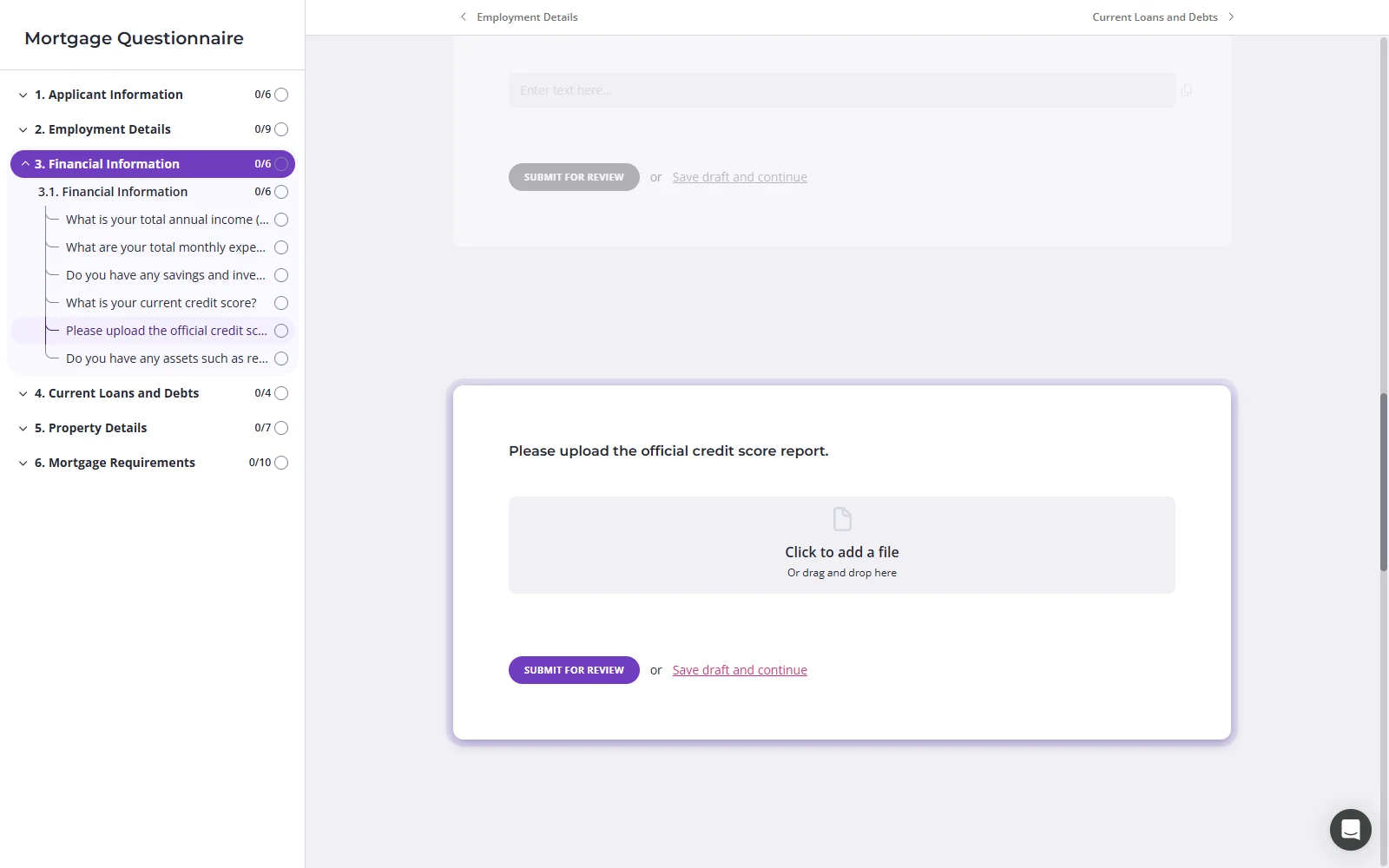
Content Snare is client intake software for professional services, built to get answers and documents back from clients who finish over several sittings.
Why Content Snare is on the list
It’s client questionnaire software for intake that takes days: fact finds for financial planners, loan documents for mortgage brokers, visa documents for migration agents, and new client details for accountants and insurance brokers. A client can start a request on a phone and finish on a laptop without creating an account, because every keystroke saves as they go. When they stall, reminders go only to the ones who haven’t finished, and can say how far through they are. If something’s wrong, you approve or reject the answer or document with a comment on that exact question, so the client fixes one item. In Content Snare’s customer survey, firms reported spending 71% less time gathering information (customer-reported).
Content Snare pros
- Smart Requests turn a PDF or question list into a request
- 110+ built-in templates (at the time of writing, September 2026)
- Pre-fills the answers you already hold
Content Snare cons
- For a three-question enquiry form it’s more than you need.
- It isn’t a survey tool, so there are no response charts. You export the answers to analyse them.
- You can’t take a payment inside a request, as you can in Jotform, Paperform and Clustdoc.
- Clients can draw a sign-off in a signature field, but a signed PDF (uploaded, or the exported request) goes through FuseSign or Annature, each billed separately.
What Content Snare users say
This has been the best questionnaire tool we’ve used in our 16 years of operating. Great for onboarding, ID checks, BAS/tax time questionnaires
Before Content Snare, we’d send out emails for all our advisory meetings, then manually track which forms were completed, cross-reference with our jobs list, and manually send reminders. It was tedious. Content Snare brings automated follow-ups and tracking to generic information requests, and that’s been a massive win.
Head of Operations, Illumin8
Integrations: Xero Practice Manager, FYI, SuiteFiles, Google Drive, Dropbox, OneDrive and SharePoint. A signature field for drawn sign-offs, with FuseSign and Annature to get an actual PDF signed (one you upload or the exported request). A Calendly booking field, Zapier, Make and an API. Many firms use it alongside Karbon, though the two don’t connect natively.
Pricing model: Flat monthly plans, tiered by how many requests are open at once, with unlimited clients on every plan. Custom branding and Custom Text start on the Plus plan.
2. Clustdoc
Best for: Regulated firms running application-style intake with ID checks, signing and payment in one flow
- Type
- Intake and collection tool
- Client login
- Yes (client account)
- Pricing model
- Flat plans by volume
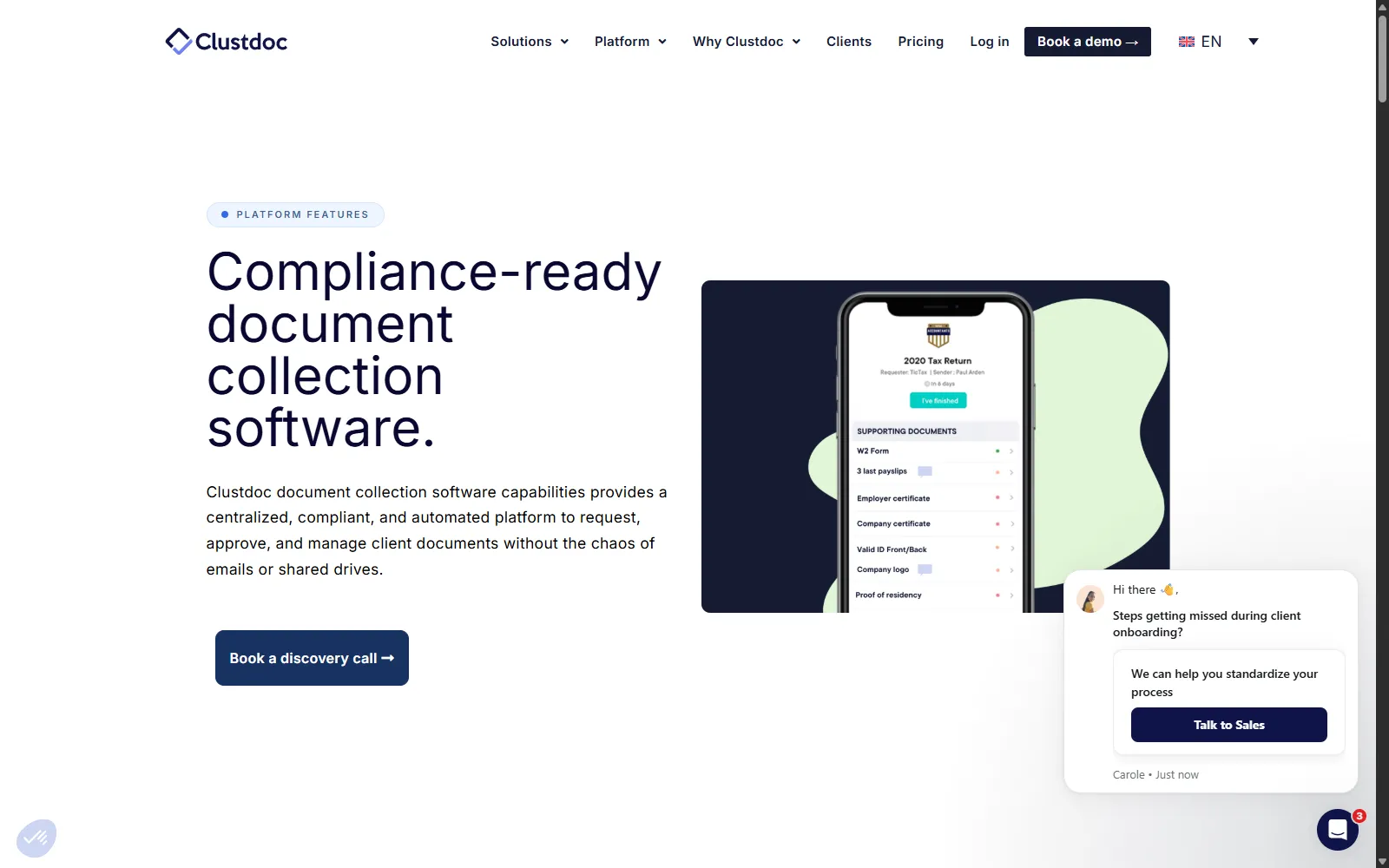
Clustdoc is Paris-based onboarding software where clients work down a checklist of forms, uploads, identity checks, signatures and payments.
Why Clustdoc is on the list
Clustdoc is the closest thing here to a checklist a client works through over several days. Reviewers confirm clients can log off and come back without losing anything, and each upload has its own slot to approve or reject. Built-in ID checks, signing and payment suit application-style intake, such as loan applications. Clustdoc says it has a SOC 2 Type II report.
Clustdoc pros
- A separate slot for each document you need
- Email and SMS reminders on triggers you pick
- ID checks, signing and payment in one application
Clustdoc cons
- Clients need an account with a password to get back in.
- Most reviews date from 2019 to 2023, many from a 2019 AppSumo deal. The newest on G2 (January 2026) is a single 0 out of 5 about reliability.
- It’s sold through demos, and the entry plan caps seats, monthly applications, reminders and e-signatures.
What Clustdoc users say
We provide job applicants several tasks to complete, which may take them a few days. Clustdoc allows them to log in and not lose their progress i.e. they can continue where they left off.
Integrations: e-signature (simple and advanced), payments and ID verification built in, Google Drive and Dropbox (vendor-stated), HubSpot, Salesforce, Pipedrive, Zapier, Make, an API and webhooks.
Pricing model: Flat plans with caps on seats, new applications a month and storage. The entry plan’s price is published, and the higher plans are quoted after a demo.
3. Superdocu
Best for: Mortgage brokers and migration agents collecting ID and supporting documents from a link
- Type
- Intake and collection tool
- Client login
- No (magic link)
- Pricing model
- Plans by active contacts
Superdocu is a Paris-based document collection tool, and its site names mortgage brokers and immigration services among its sectors. Clients sign in from a link without a password, you approve or reject each item with a reason they see, and reminders go out on a schedule. It can re-collect documents before they expire, which suits visa paperwork. It makes no SOC 2 or ISO 27001 claim, sends documents to DocuSign for clients to sign, doesn’t sync files to cloud storage, and most reviews come from a 2022 lifetime deal. Data is hosted in France.
Pricing model: Plans tiered by active contacts a month, with team users rising by plan. Priced in euros. A 7-day trial needs a card.
Form builders
These are built for a form finished in one go, and most firms already have one. They suit short intake, and each card says how far it stretches.
4. Jotform
Best for: Firms that want one form builder for short intake, payments and signatures
- Type
- Form builder
- Client login
- No (form link)
- Pricing model
- Free plan + tiered plans

Jotform is a form builder with e-signatures (Jotform Sign), payments, uploads and conditional logic built in, and it has an office in Sydney.
Why Jotform is on the list
It’s the step up from Google Forms that most firms take first, and the form builder here with the most for long intake: a save link, scheduled reminders, approvals with an edit link, pre-filled links for each client and Smart PDF Forms.
Jotform pros
- Smart PDF Forms turn a fillable PDF into a form
- A pre-filled link for each client you invite
- Uploads of up to 1 GB per file
Jotform cons
- A client has to click Save, which pushes a Jotform account. Drafts not submitted within two months are deleted.
- Reminders go to a fixed list on a schedule, so they can’t target the clients who haven’t finished.
- Saving doesn’t work on encrypted forms.
What Jotform users say
Jot form has more templates that you can use to make questionnaires for business purposes. It was very easy to use for the not so computer savvy people.
Integrations: Jotform Sign for e-signatures (built in), Google Drive, Dropbox, OneDrive, Box, HubSpot, Salesforce, ActiveCampaign, Zapier, an API and webhooks. It has no native Xero, QuickBooks or practice management integration.
Pricing model: A free plan and three paid single-user plans that differ by forms, submissions, storage and signed documents, plus a quoted Enterprise plan for teams.
5. Fillout
Best for: Firms that keep client records in Airtable or Notion and want forms feeding them
- Type
- Form builder
- Client login
- No (form link)
- Pricing model
- Free plan + tiered plans
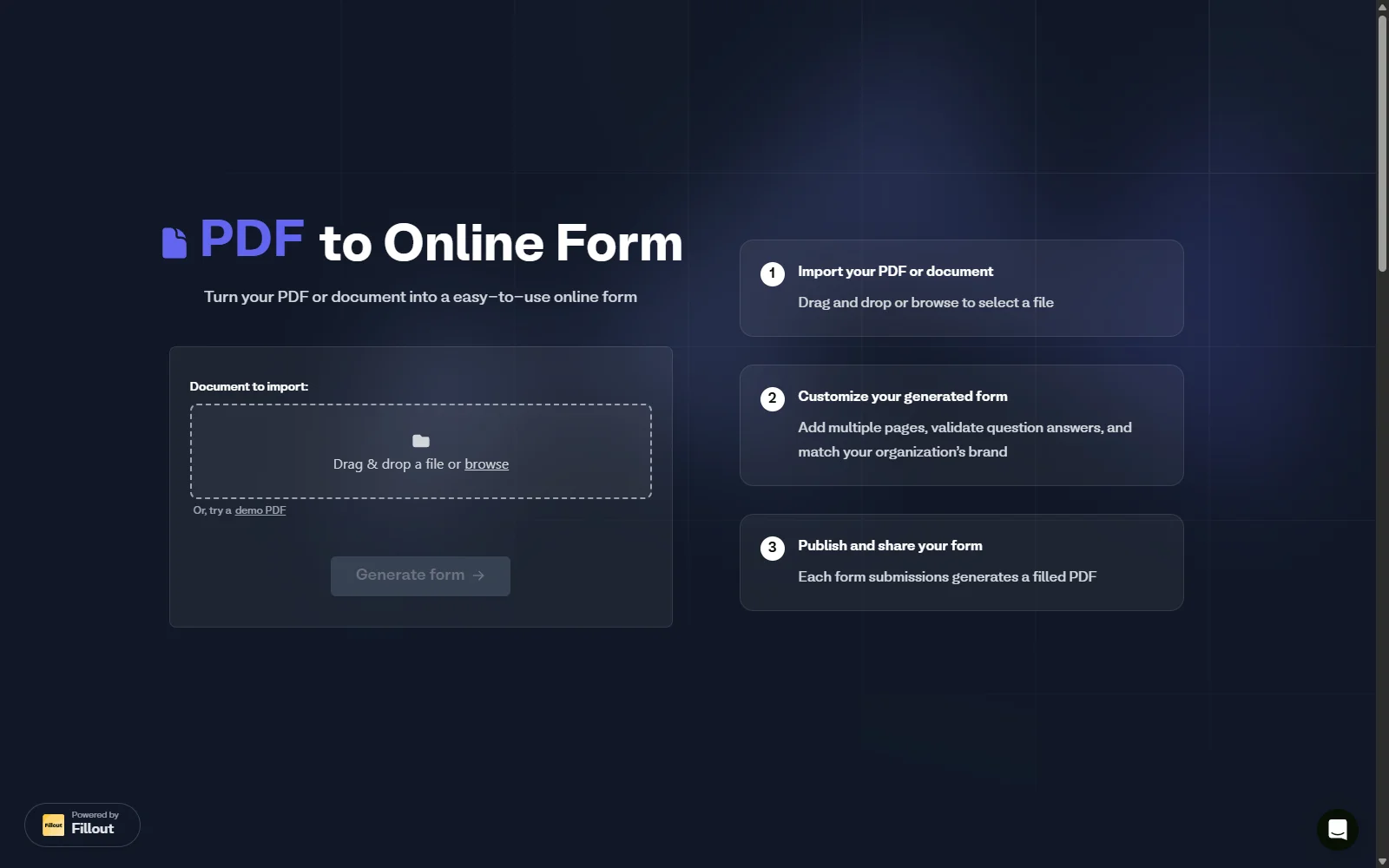
Fillout (by Zite) is a form builder with a free plan, an AI builder and direct connections to Airtable, Notion and Google Sheets.
Why Fillout is on the list
It saves progress without the client clicking anything, lets clients reopen and fix a submission through an edit link, and has a simple approve or reject step with a reason. Its AI builder turns a PDF into a form, or imports one from Jotform, Typeform or Google Forms. Fillout suits firms that keep client records in Airtable or Notion.
Fillout pros
- Progress saves as the client types
- Edit links let clients fix a submitted form
- Unlimited seats on every plan
Fillout cons
- Resuming on another device needs an abandonment email, which is a paid add-on you write yourself.
- One G2 reviewer (February 2026) said the upload field crashed mobile browsers after a few images.
- It’s hosted in the US unless you’re on Team or Enterprise, which add EU hosting. There’s no Australian option.
What Fillout users say
What I like most about Fillout is how easy it is to build forms. The drag-and-drop builder makes it simple to add, move, and organize questions without spending much time on setup.
Integrations: a signature field (Starter and up, not a full signing platform), Google Drive, Dropbox, OneDrive, Amazon S3, Airtable, Notion, HubSpot, Salesforce (Team and Enterprise), and Zapier, Make and an API on every plan.
Pricing model: A free plan, then Starter, Pro and Business plans set by monthly responses and features, with unlimited seats on every plan, and a quoted Enterprise plan.
6. Paperform
Best for: Firms wanting a branded intake page that also takes a payment or a booking
- Type
- Form builder
- Client login
- No (form link)
- Pricing model
- Free plan + tiered plans
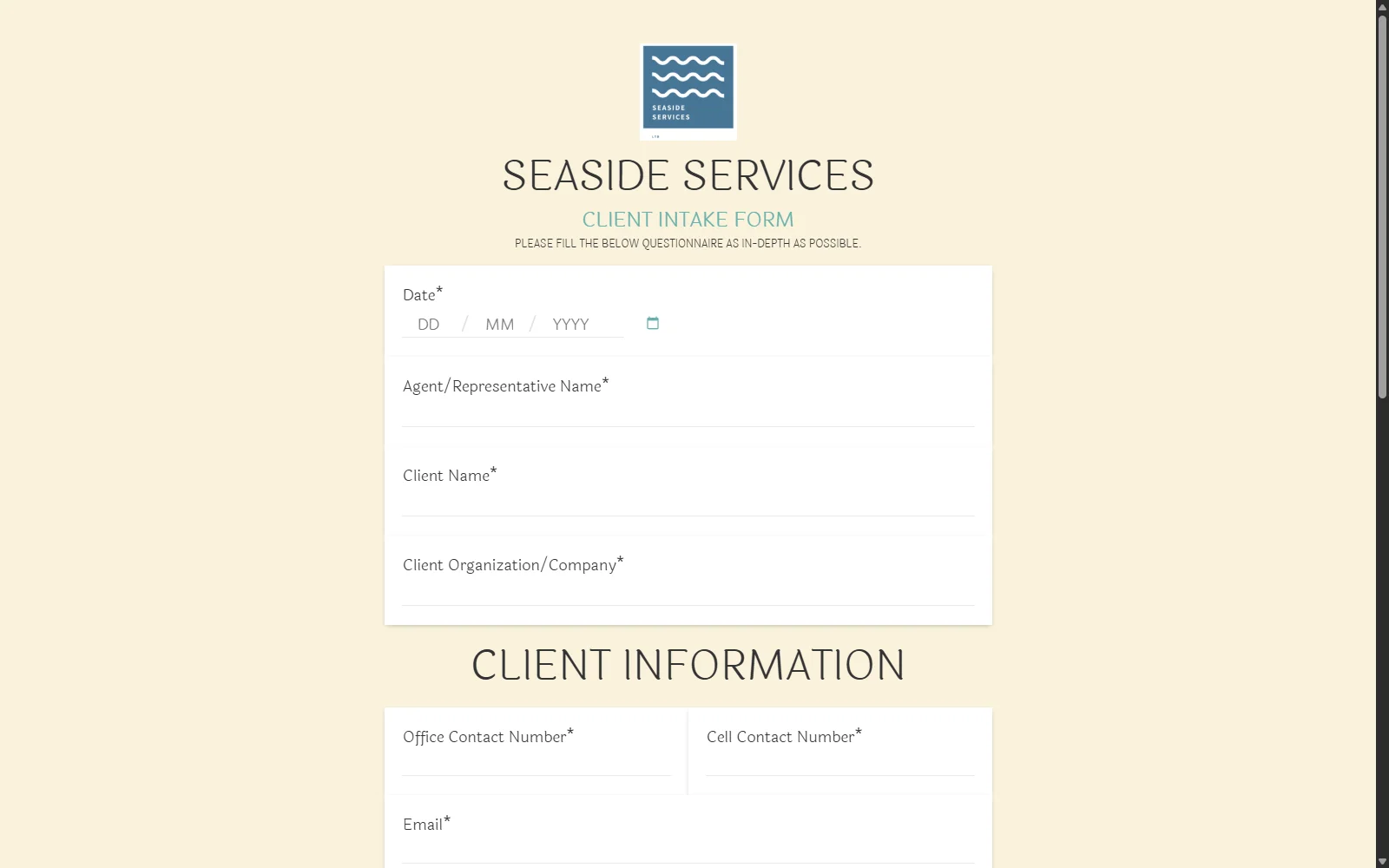
Paperform is a Sydney-headquartered form builder that lays a form out like a web page, with text, images and video between the questions.
Why Paperform is on the list
It saves a client’s progress automatically on every plan, takes several files per question, and comes with e-signatures (Papersign) and payments. It can also build a form from a PDF or a photo of an existing form, which helps if your intake still lives on paper.
Paperform pros
- Forms that look like part of your website
- Takes a payment or signature in the same form
- Several files per upload question
Paperform cons
- Paperform does not remind clients who haven’t finished.
- You can’t send an answer or file back for correction.
- Data is hosted in the US on every plan below Enterprise, and that includes Australian firms.
What Paperform users say
I really like the flexibility to build the form exactly the way I want. I especially enjoy the piping that I can set up and let form fillers pick their specific prefilled links from dashboards on other platforms.
Integrations: Papersign for e-signatures (every plan, capped by plan), Stripe, PayPal and Square, HubSpot, Google Sheets, Notion, Airtable, Zapier and Make on every plan, and an API and webhooks on Pro and up.
Pricing model: A free plan, then Pro, Business and a quoted Enterprise plan, billed per account with unlimited seats.
7. Formstack
Best for: Larger firms on Salesforce that need forms to pass a compliance review
- Type
- Enterprise form builder
- Client login
- No (form link)
- Pricing model
- Per builder user
Formstack is an enterprise form builder sold with document, e-signature and workflow products, plus a version inside Salesforce. Its parent company became Intellistack in June 2025, and the product keeps the Formstack name. Its resume link works on any device, it takes up to 2 GB per submission, and its trust centre shows ISO 27001 and SOC 2 Type II. But the link expires after 30 days and can’t be resent. Formstack does not remind clients who haven’t finished, and it has no free plan. Two Capterra reviewers found annual contracts hard to cancel. It’s hosted in the US.
Pricing model: Per builder user, with tiers for forms only, a bundled suite, Salesforce and Enterprise, and a 14-day trial.
8. Typeform
Best for: Firms wanting a short, good-looking enquiry form that people finish on a phone
- Type
- Conversational form builder
- Client login
- No (form link)
- Pricing model
- Free plan + tiered by responses
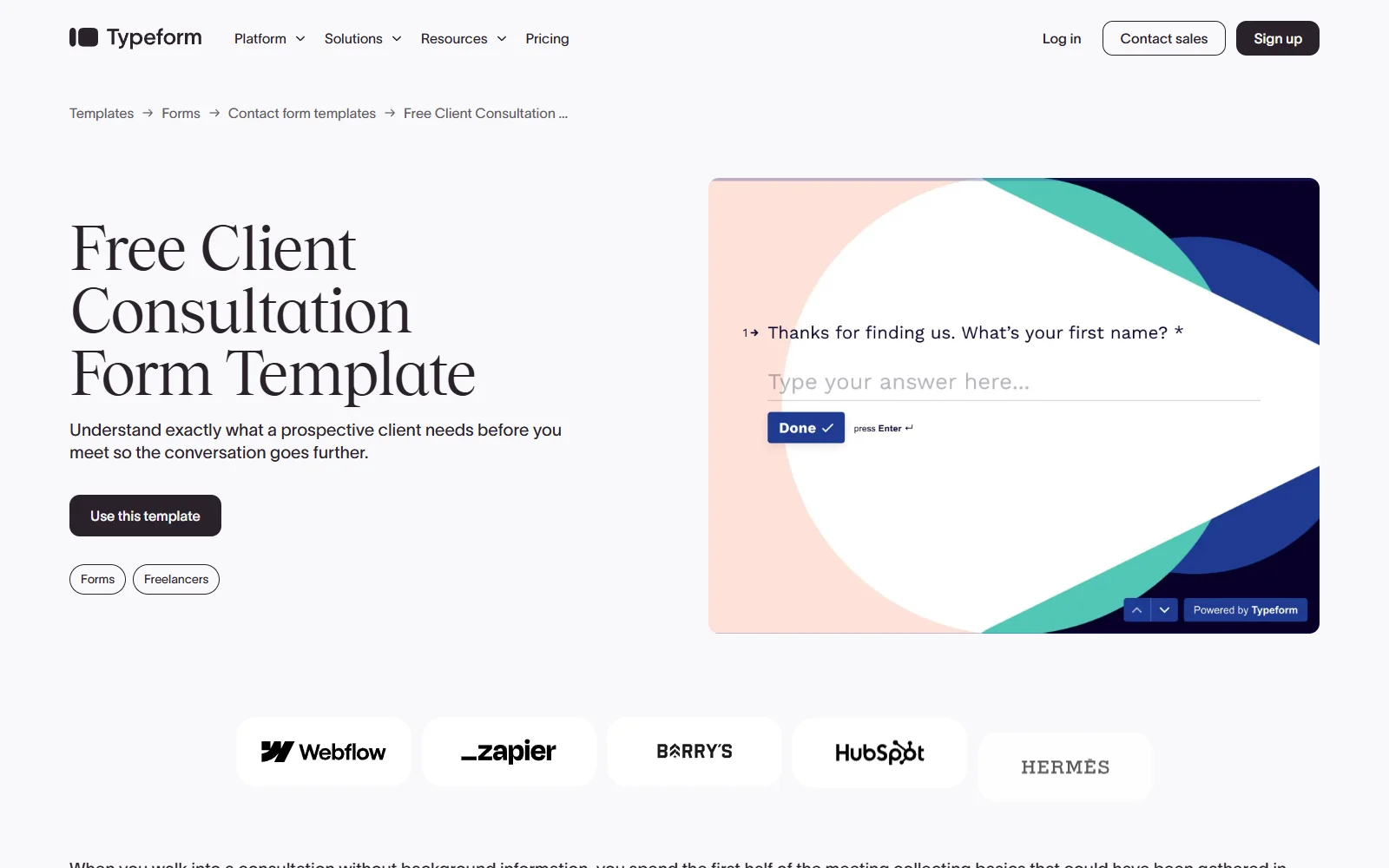
Typeform is a conversational form builder that shows one question per screen, used mostly for enquiry, feedback and lead forms.
Why Typeform is on the list
One question at a time is why people finish Typeforms on their phones, and its forms are the best-looking here. That suits a first contact, an enquiry or qualifying form before someone becomes a client.
Typeform pros
- One question per screen suits clients on phones
- Branching logic and calculations on the free plan
- Partial answers can go to your CRM
Typeform cons
- Answers stay in the client’s browser for 15 days, so switching devices or clearing the browser starts them again.
- Each upload question takes one file of up to 10 MB. A reviewer on r/nocode (January 2025) said “you are limited to a single document upload per page”.
- Submitted answers can’t be edited or sent back.
- At the monthly response limit, forms go private, and a client finishing in a second session counts twice.
What Typeform users say
The one-question-at-a-time format works great on phones. This is huge since 73% of our customers fill these out on mobile.
Integrations: a Signature question on Growth Flow and up (basic e-signature, which Typeform says not to use for wills, trusts or estate documents), Google Drive, Dropbox, Box, HubSpot, Salesforce (Business and up), Pipedrive, Zapier, Make and an API.
Pricing model: A free plan (10 responses a month), then paid plans set by monthly responses and seats, with quoted top plans.
9. Google Forms
Best for: Solo practitioners who need a free form for a few simple questions
- Type
- Form builder
- Client login
- Google sign-in for uploads
- Pricing model
- Free
Google Forms is free with any Google account, quick to build and sends answers to a Google Sheet, so most firms start here. Sign-in is the catch for intake. Text questions need no account, but a file upload makes the client sign in to Google, and drafts save only for signed-in clients. There are no reminders, and you can’t send an answer back. Forms asking for ID numbers or bank details can be flagged by Google’s abuse checks, as the FAQ explains.
Pricing model: Free, with paid Google Workspace plans for a business account and admin controls.
What else we looked at
Health practices are better off with IntakeQ or SimplePractice, both built for patient intake. Financial planners comparing intake tools often see PreciseFP named alongside Jotform, since it’s a data-gathering tool built specifically for planners. Seamlss is built for Australian accounting firms on Xero Practice Manager whose only request is onboarding.
- Cognito Forms: the form builder that came up most for a save-and-resume link that works without an account, in the Reddit threads we read for this post.
Writing intake questions clients can answer
You’ve run this intake hundreds of times, and your client has done it once, if ever. The questions that look obvious to you are where they stall, and most clients stop answering rather than say they’re stuck.
Your clients are not you, so write each question for someone seeing the form for the first time. These help, whichever tool you pick:
- Spell out every acronym: SMSF, PAYG, TFN and LVR mean nothing to most clients until you write them out.
- Name the document and where to find it: “Your last three months of bank statements, downloaded as PDFs from your online banking” gets a better answer than “Bank statements”.
- Give an example answer: for anything open-ended, one sample shows how much detail you want.
- Add a screenshot or a short screen recording: use them for fiddly steps, like downloading a statement.
- Break it into pages, critical first: call page one something like “Critical information” and tell clients that finishing it lets you get started.
- Only ask what you need: cut what you can answer yourself, and fill in what you already know.
- Tell them how long it takes: a client who knows it’s about 20 minutes, spread over a few days, is less likely to give up halfway.
Sixty questions on one screen get an “ohhhh nope” and a closed tab. Split into short pages, each with a line of explanation, the same questions read more like a guided conversation.
Clients’ questions show you where the form is unclear. If three clients ask what the same question means, rewrite it once, and the next client won’t need to ask.
Turning your PDF intake form into something clients finish
Plenty of firms still send new clients a PDF or a spreadsheet to fill in. Northwest Accountancy did, until its CEO saw what came back.
Before Content Snare, we were sending clients Excel spreadsheets and they were like, I can’t do this. Clients sent back half-finished information, or nothing at all.
CEO, Northwest Accountancy
Most tools on this list can now import that PDF. Jotform has Smart PDF Forms, Paperform imports a PDF or an image of a form, Fillout converts PDFs, and Content Snare’s Smart Requests take a PDF or a pasted list of questions. What decides whether clients finish is what happens after the import: whether the tool saves as the client goes on any device, chases the ones who stop, and lets you send back the one document that’s wrong. The table above covers all three.
For the conversion itself:
- Don’t copy the PDF question for question. Cut anything you can answer yourself, and pre-fill what you already hold.
- Turn the document list into upload questions, each with a line saying which document and where to find it.
- Split it into pages, with the critical information first.
- Start from a built-in template if your tool has one close to what you need, then change it. Content Snare’s include a Mortgage Questionnaire, a Client Intake Form, and client onboarding templates for accountants and bookkeepers.
- Check what the import produced before a client sees it. A converted PDF usually needs its instructions rewritten.
Test your own form before you switch
This week, open your current intake form on your phone and fill it in as a client would, documents and all. Time it. If it takes more than ten minutes, or you had to go looking for a document, pick one tool from each group above. Rebuild just the first page in each, send both to two clients who usually reply quickly, and see which one comes back complete.
Frequently asked questions
What’s the difference between an intake form and intake software?
An intake form is filled in during one sitting and submitted once. Intake software expects a client to finish over days. It saves each answer as they go, reminds them when they stop, takes documents alongside answers, and lets you send one item back to be fixed. Content Snare works this way. A form builder suits the short version.
Can Typeform or Jotform save a client’s progress?
Yes, with limits. Typeform keeps answers in the client’s own browser for 15 days, so they have to come back on the same device and browser. Jotform saves only when the client clicks Save and keeps the draft link, and it deletes unsubmitted drafts after two months. Neither picks up automatically on another device.
What should a new client intake questionnaire include?
Contact and entity details, what you’re engaged to do, the documents you need with where to find them, anything regulation requires you to collect, and the client’s consent. The detail changes by profession. A financial planner needs a full fact find, a mortgage broker needs income and loan documents, and a migration agent needs passport and visa documents.
How long should an intake form be?
Only as long as the information you need. Under ten minutes with no documents suits a form builder. Past that, break the form into pages, tell clients how long it takes, and use a tool that saves as they go and reminds them to finish.
Is Google Forms safe for collecting client information?
The underlying security is sound. Forms are encrypted in transit and at rest, and Google lists Forms among the Workspace services its ISO 27001 and SOC 2 audits cover. For intake, the problems are uploads, warnings and abuse checks. Uploads need the client’s Google sign-in, every form carries “Never submit passwords through Google Forms”, forms asking for ID numbers or bank details can be flagged and switched off by Google’s abuse checks, and scammers use Forms so often that clients distrust the links.