
Quick summary
We rank Content Snare first for accounting client portals in Australia, the UK and the US, since clients open one link to send documents, answers and ID checks. Karbon suits firms wanting practice management, Glasscubes suits UK practices wanting client data hosted in the UK, and Canopy suits US firms needing IRS transcripts and signing.
We wrote this for owners and practice managers of accounting and bookkeeping firms in Australia, the UK and the US. It’s about getting documents, answers and ID back from clients, so file storage and practice management tools only feature where they include a portal. Each country gets its own shortlist, because the software and the rules differ, and Content Snare tops all three.
The shortlists
Australia
- 1 Content Snare : Best for XPM firms collecting documents, answers and AML checks
- 2 FYI : Best for document management and filing, synced both ways with XPM
- 3 Karbon : Best for practice management with client tasks, Xero, XPM and BGL
- 4 SuiteFiles : Best for files kept in your own Microsoft 365, with signing
- 5 Seamlss : Best for one onboarding link covering ID, AML and XPM setup
- 6 CCH iFirm : Best for replacing XPM with one suite, with its own AML module
- 7 Ignition : Best for proposals, engagement letters and payment details in one link
United Kingdom
- 1 Content Snare : Best for practices chasing records and client ID by secure link
- 2 Glasscubes : Best for line-item client requests, hosted in the UK
- 3 FYI : Best for London-hosted document management that lists IRIS
- 4 SuiteFiles : Best for Microsoft 365 files with a native IRIS link
- 5 IRIS OpenSpace : Best for sending finished accounts from IRIS for client approval
United States
- 1 Content Snare : Best for tax document requests, with client data kept in the US
- 2 Canopy : Best for seven tax packages, IRS transcripts and KBA signing
- 3 TaxDome : Best for Drake or Lacerte firms wanting KBA signing and transcripts
- 4 SmartVault : Best for document storage whose security page names IRS Publication 4557
- 5 SafeSend : Best for Form 8879 signing and K-1 delivery after the return
- 6 Karbon : Best for workflow, shared email and KBA signing for US teams
- 7 Intuit Link : Best for organizers that feed Lacerte, ProConnect or ProSeries returns
How we compared them
We’re a software and automation team that works with professional firms. We compared these tools on five things:
| Criterion | What we checked |
|---|---|
| Local software | A native connection to what firms in that country run: Xero Practice Manager, FYI or SuiteFiles in Australia, IRIS or Xero in the UK, the tax software in the US |
| Client effort | Whether a client can reply from a link, or needs an account, a password or an app |
| Checks on new clients | ID and AML checks in Australia and the UK, and identity checks for Form 8879 signing in the US |
| Where the data sits | Where each vendor says it hosts your clients’ data |
| Chasing | Whether it reminds clients about what’s still outstanding, on its own |
Sources: each vendor’s product, help, pricing and security pages, user reviews on G2, Capterra, the Xero App Store, Trustpilot, Reddit and AccountingWEB, and the regulators’ own guidance (AUSTRAC, HMRC, the IRS and the FTC), checked September 2026. We don’t publish scores, and we don’t list prices. Each entry names the pricing model and links to the vendor’s current pricing.
Not included: niche portals from outside these three countries, and features inside accounting software, apart from Intuit Link and Xero’s Ask. See What else we looked at.
Why each country gets its own shortlist
Most accounting portal lists on Google’s first page are written for US firms, and they assume QuickBooks, IRS forms and US tax software. The Australian and UK results are thin and out of date.
A portal that suits a US firm on Lacerte can mean re-keying every client for an Australian firm on Xero Practice Manager (now Xero Partner Hub + Practice Management), or XPM. And a UK practice must check the identity of ordinary bookkeeping and tax clients under its anti-money laundering (AML) rules, where an Australian firm only has to for certain services. So the choice starts with the country.
| Country | Software firms connect to | Rules that shape client onboarding | What to check in a portal |
|---|---|---|---|
| Australia | Xero, XPM, FYI, SuiteFiles | Tranche 2 AML/CTF, from 1 July 2026 | Native XPM, ID and AML checks |
| United Kingdom | Xero, IRIS | Money Laundering Regulations 2017, Making Tax Digital | Client ID checks, recurring requests, data terms |
| United States | QuickBooks, Lacerte, UltraTax, Drake, CCH | FTC Safeguards Rule, IRS e-signature rules | Tax software link, MFA, Form 8879 signing |
Hosting differs too. In Australia, FYI hosts in Sydney, Seamlss and CCH iFirm onshore, and SuiteFiles in your own Microsoft 365 tenant. In the UK, Glasscubes hosts in the UK and FYI in London. In the US, Content Snare and SafeSend host in the United States, which suits US firms but can rule them out for Australian or UK firms whose policy keeps client data local.
Our first pick in all three countries
Content Snare tops all three shortlists because clients reply from one link, and its ID checks, reminders and approvals work the same way in each country.
Content Snare
Best for: Firms that need documents, answers and ID checks back from one client link
- Type
- Collection portal
- Client login
- No (secure link), PIN or full account optional
- Pricing model
- Flat plans by volume
- Region
- AustraliaUKUS
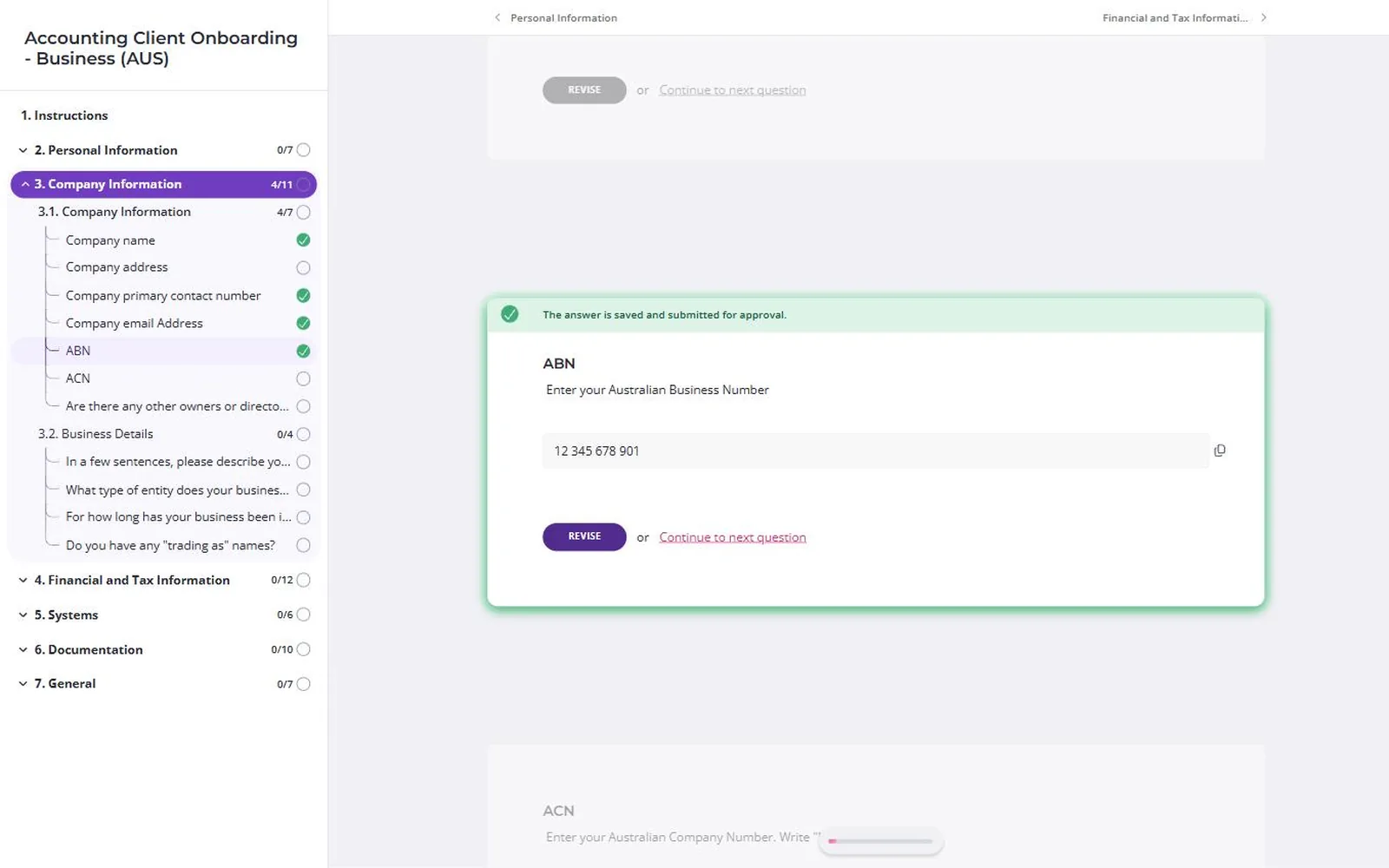
Content Snare is an accounting client portal, built in Brisbane, that gets documents, answers and ID checks back from clients. Clients open one link, and they don’t need to install anything or create a login.
Why Content Snare is on the list
For Australian firms, it creates the client in XPM when a request is done, imports clients from XPM with duplicate checking, files uploaded documents into FYI cabinets and connects to SuiteFiles through SharePoint. Requests can carry an ABN and ACN field and use a built-in ATO client-agent linking template. ID checks run through Stripe Identity, or ComplyCube for full AML screening (sanctions, politically exposed person and adverse media checks), which re-screens clients automatically. Each client’s AML page logs the Proceed or Don’t Proceed decision against the person who made it. It’s on the Xero App Store.
For UK practices, recurring requests suit clients who owe records every quarter, the ID checks work outside Australia, and the interface comes in British English. Its GDPR terms are in the UK section.
For US firms, there are Tax Return Documentation (USA) and Client Onboarding (USA) templates, client data stays in the US, and you can enforce two-factor sign-in for the whole team. One US firm reports cutting a four-hour tax plan by about an hour. It’s ISO 27001 certified and independently audited.
Content Snare pros
- Creates the client in XPM when the request is done
- ID and AML checks inside the same client request
- Clients open a link without creating an account
Content Snare cons
- Hosting is on AWS in the United States only.
- It doesn’t link to US tax software or run knowledge-based authentication (KBA), so Form 8879 signing stays in your tax software or SafeSend. Its signature field is a drawn sign-off. For a signed PDF, you send the PDF to FuseSign or Annature, both Australian, for the client to sign.
- It has no native Karbon integration, so firms that run both use Zapier, Make or the API.
- It doesn’t send proposals or take payments. Ignition’s help centre documents a Zap that starts a Content Snare request when a proposal is accepted.
What Content Snare users say
We use this for gathering information from our clients, identity checks and ATO client-agent linking. Their team are great to deal with too
Chases clients for info the same way Xero invoices chases for payment. No confusion ever about whose court the ball is in.
Accountant, Back Beach Accounting
Integrations: Xero Practice Manager, FYI cabinets, SuiteFiles (through SharePoint), Google Drive, Dropbox, OneDrive, SharePoint, a drawn signature field, FuseSign and Annature for signed PDFs (uploaded or the exported request), a Calendly field, Zapier, Make and the API. It’s used alongside Karbon, though there’s no native integration.
Pricing model: Flat monthly plans, tiered by how many requests are open at once, with unlimited clients. The XPM and FYI integrations and custom branding start on the Plus plan. ID and AML checks are charged per check, and there’s an AML-only plan for firms that only need screening.
Client portals for Australian firms
Most Australian firms run Xero and XPM, so a native XPM connection comes first. Since 1 July 2026, firms also need ID and AML checks for clients whose work is a designated service, which the Tranche 2 section explains. These tools host in Australia, in your own Microsoft 365 tenant or in the US, and each card says which.
| Tool | Best for | Type | Client login needed? | Works with Xero or XPM | AML and ID checks | Pricing model |
|---|---|---|---|---|---|---|
| Content Snare | XPM firms collecting documents, answers and AML checks | Collection portal | No (secure link)1 | XPM, native | Built in2 | Flat plans by volume |
| FYI | Document management and filing, synced both ways with XPM | Document management + portal | Yes (client account)3 | XPM, native two-way | Through partners4 | Per user, minimum 5 users |
| Karbon | Practice management with client tasks, Xero, XPM and BGL | Practice management | No (magic link)5 | Xero and XPM, native | Not stated | Per user |
| SuiteFiles | Files kept in your own Microsoft 365, with signing | Document management + portal | Yes (client account)6 | Xero and XPM, native | No | Plans by user count7 |
| Seamlss | One onboarding link covering ID, AML and XPM setup | Onboarding + AML checks | No (link + phone code) | XPM, native | Built in8 | Per firm, by request volume9 |
| CCH iFirm | Replacing XPM with one suite, with its own AML module | Practice management | Yes (client account)10 | Xero in part, no XPM11 | Add-on (CCH iFirm AML) | Quote-based |
| Ignition | Proposals, engagement letters and payment details in one link | Proposals + payments | No (secure link) | Xero and XPM, native12 | Early access13 | Tiers by active clients14 |
- Firms can ask clients for a PIN, or for a full account, instead.
- Screening re-runs automatically, and each re-screen uses another credit.
- Collaborate is a SharePoint site clients log in to, and it comes with Pro and Elite. Forms can go out by email or a public link.
- An AMLCC integration and Annature ID verification.
- The link is paired with the device it’s opened on. There’s an optional client app and client two-factor sign-in.
- Clients sign in with a Xero, Google or Connect account. SuiteFiles says signing works from an emailed link.
- The Connect client portal is on Super Suite only.
- Seamlss says entity-level sanctions screening and ongoing monitoring aren’t live yet.
- Checks are charged per contact.
- Multi-factor sign-in on each device.
- Invoices go to the firm’s Xero, clients sync nightly with Xero Tax, and ledgers import to workpapers. CCH iFirm replaces XPM rather than connecting to it.
- XPM is on the Pro plans and up.
- In Australia and the UK, since June 2026.
- Plus payment fees and per-check fees.
Fuse Wealth Business Advice, an Australian firm on Content Snare, described its busy season after switching.
We are far further through our client workload this year than we were this time last year. It’s reflected in our revenue and our capacity.
Director, Fuse Wealth Business Advice
FYI
Best for: Australian firms on XPM that want document management with a client portal added
- Type
- Document management + portal
- Client login
- Yes (client account) for Collaborate
- Pricing model
- Per user, minimum 5 users
- Region
- AustraliaNew ZealandUK
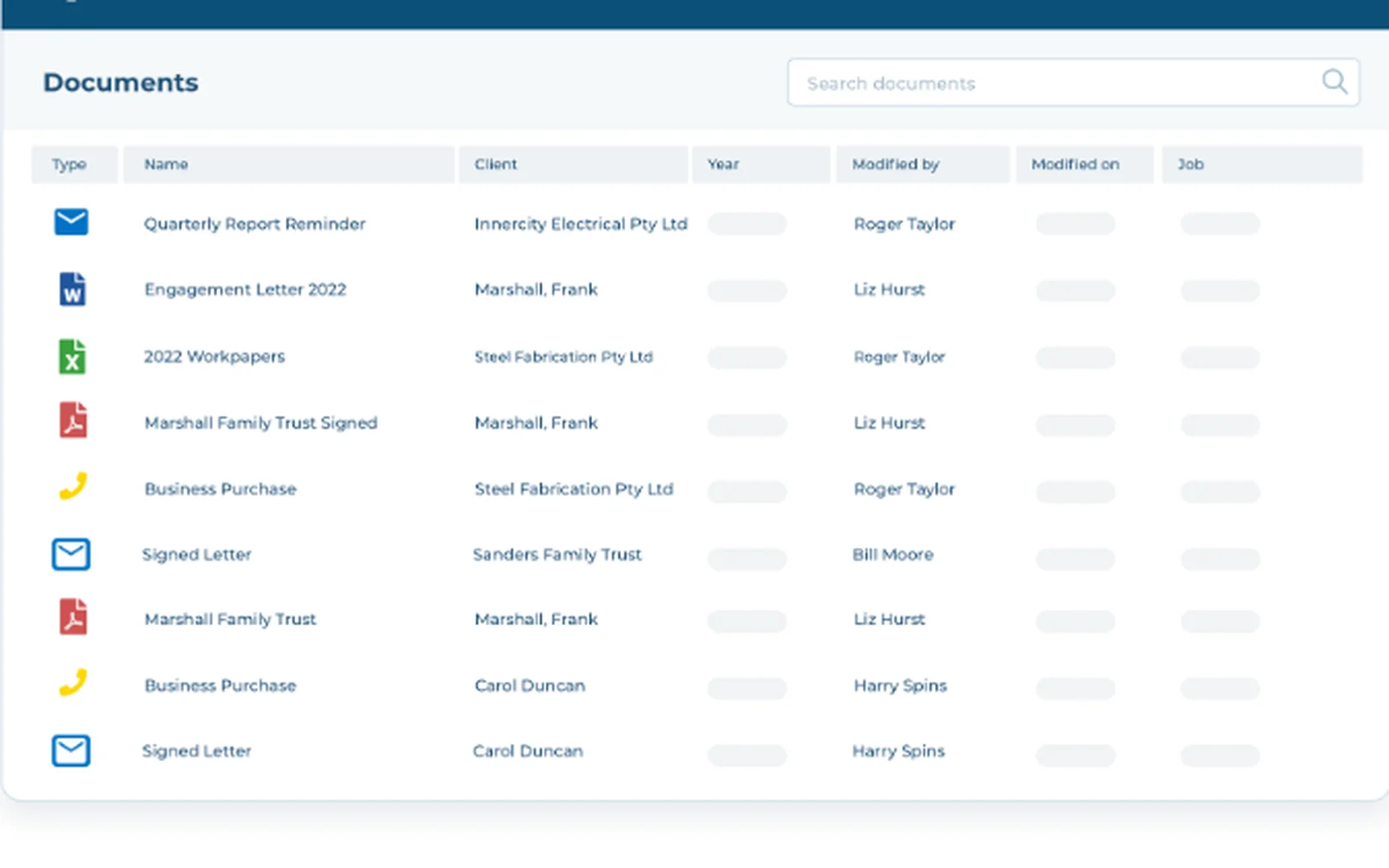
FYI runs document management and practice automation for accounting firms, built on Microsoft 365 and sold in Australia, New Zealand and the UK.
Why FYI is on the list
FYI syncs clients, jobs and time with XPM both ways, and on Elite it can be the practice management system. Clients log in to Collaborate, a SharePoint site with a folder per entity, and Forms sends requests with follow-ups.
FYI pros
- Forms with mandatory fields and bulk sending
- A folder per entity for each client
- Client data hosted in Sydney and London
FYI cons
- Collaborate needs a client login, and it isn’t on the Intermediate plan.
- Review evidence is thin, at 20 Xero App Store reviews and one on G2.
What FYI users say
The doc management system is great, and I love the automations.
Integrations: XPM, Xero, MYOB, APS, IRIS, CCH Central, BGL, Microsoft 365, Ignition and AMLCC. Clients e-sign through FuseSign or Annature.
Pricing model: Per user, per month, across Intermediate, Pro and Elite. Collaborate, the Ignition integration and AMLCC need Pro or Elite, and time and billing needs Elite.
Karbon
Best for: Firms that want workflow, shared email and client tasks in one system
- Type
- Practice management
- Client login
- No (magic link), paired with the device
- Pricing model
- Per user
- Region
- AustraliaUKUS
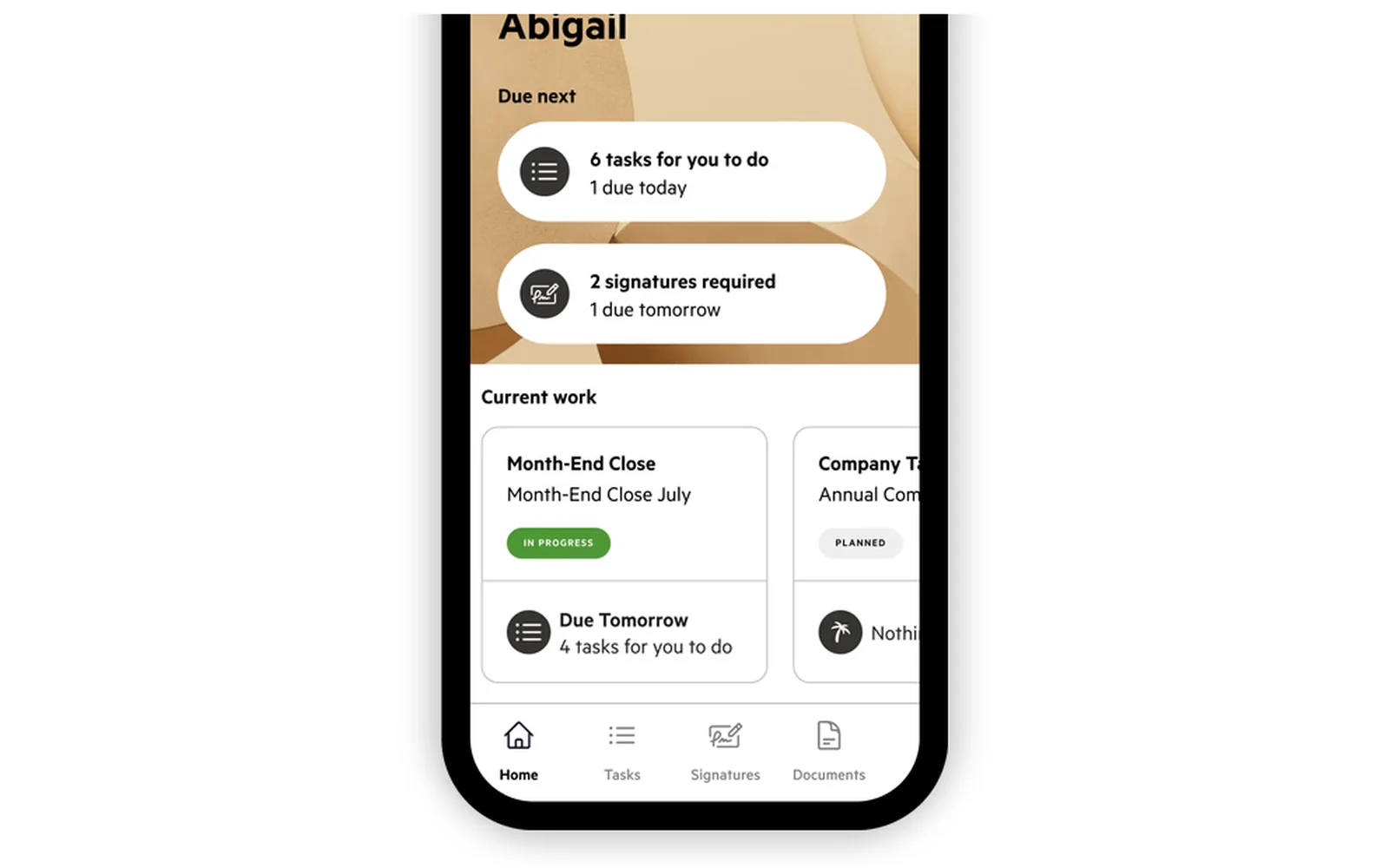
Karbon is practice management for accounting firms, covering workflow, shared email, time, billing and a client portal.
Why Karbon is on the list
Karbon suits Australian firms that want one system in place of several, with native Xero, XPM and BGL connections. For US firms it lists CCH Axcess Tax and ProConnect, and KBA signing costs 2 credits a signature.
Karbon pros
- Client tasks and uploads on every plan
- A client app for iOS and Android
- Billing in AUD, GBP and USD
Karbon cons
- Reminders to clients who haven’t finished need the Business plan.
- Its security page doesn’t say where client data is hosted.
What Karbon users say
Our clients are constantly complaining about excessive communication. And you know why? Because every single comment we leave on the project task comes through to the client as a separate email.
Integrations: Xero, XPM, BGL, QuickBooks Online, CCH Axcess Tax, ProConnect, Zapier and an API. E-signature is built in, paid for by credit.
Pricing model: Three per-user tiers (Team, Business and Enterprise), with Enterprise quoted and monthly billing only for four or more users. Reminders and the API need Business or higher, and signatures are paid for in credit bundles.
SuiteFiles
Best for: Firms that keep client files in Microsoft 365 and want signing included
- Type
- Document management + portal
- Client login
- Yes (client account), signing by emailed link
- Pricing model
- Plans by user count
- Region
- AustraliaNew ZealandUK

SuiteFiles is document and email management built on your firm’s own Microsoft 365, founded in New Zealand, with a client portal called Connect.
Why SuiteFiles is on the list
Client files stay in your firm’s own Microsoft 365 tenant. Connect, relaunched in September 2026, shows clients what’s needed, received and outstanding and sends reminders, and SuiteFiles says clients can sign from an emailed link.
SuiteFiles pros
- Native Xero, XPM, Karbon and IRIS links
- Unlimited e-signing on Super Suite
- Automatic reminders on file requests
SuiteFiles cons
- Connect is on Super Suite only.
- Slow performance comes up on G2, Capterra and the Xero App Store.
What SuiteFiles users say
Integration with our other systems (mainly XPM) means we’ve got firm-wide consistency in our files.
Integrations: Xero, XPM, Karbon, IRIS, MYOB, QuickBooks Online and Microsoft 365. E-signing is built in.
Pricing model: Semi-Suite and Super Suite plans set by user count, with an Enterprise quote and annual billing cheaper than monthly. The Connect client portal and unlimited e-signing are on Super Suite.
Seamlss
Best for: Australian firms that want onboarding, ID and AML checks in one link
- Type
- Onboarding + AML checks
- Client login
- No (link + phone code)
- Pricing model
- Per firm, by request volume
- Region
- Australia

Seamlss is Australian onboarding and AML software for firms on XPM, founded in Albury, New South Wales, in 2020.
Why Seamlss is on the list
One link takes a new client through their details, an ID check through Stripe Identity or a source document, AML questions, the engagement letter and ATO agent linking, then pushes them into XPM. Screening covers politically exposed persons and DFAT sanctions.
Seamlss pros
- A risk matrix with a named sign-off
- Built-in engagement letter signing
- Data hosted in Australia on Azure
Seamlss cons
- Onboarding and each annual re-engagement get a new link, and there’s no portal for ongoing requests.
- Seamlss says entity-level sanctions screening and ongoing monitoring aren’t live yet.
What Seamlss users say
Syncing directly to Xero reduces data entry time and the possibility of keying errors. This software is invaluable to my Practice.
Integrations: XPM, FYI, Zapier, and SuiteFiles, SharePoint, Dropbox and Google Drive for filing. E-signature is built in.
Pricing model: Per firm, with unlimited users and clients, across three tiers set by requests per month or year and a custom plan above them. ID and AML checks are charged per contact, per check.
CCH iFirm
Best for: Firms replacing XPM with one Wolters Kluwer suite, AML module included
- Type
- Practice management
- Client login
- Yes (client account), MFA on each device
- Pricing model
- Quote-based
- Region
- AustraliaNew ZealandUK
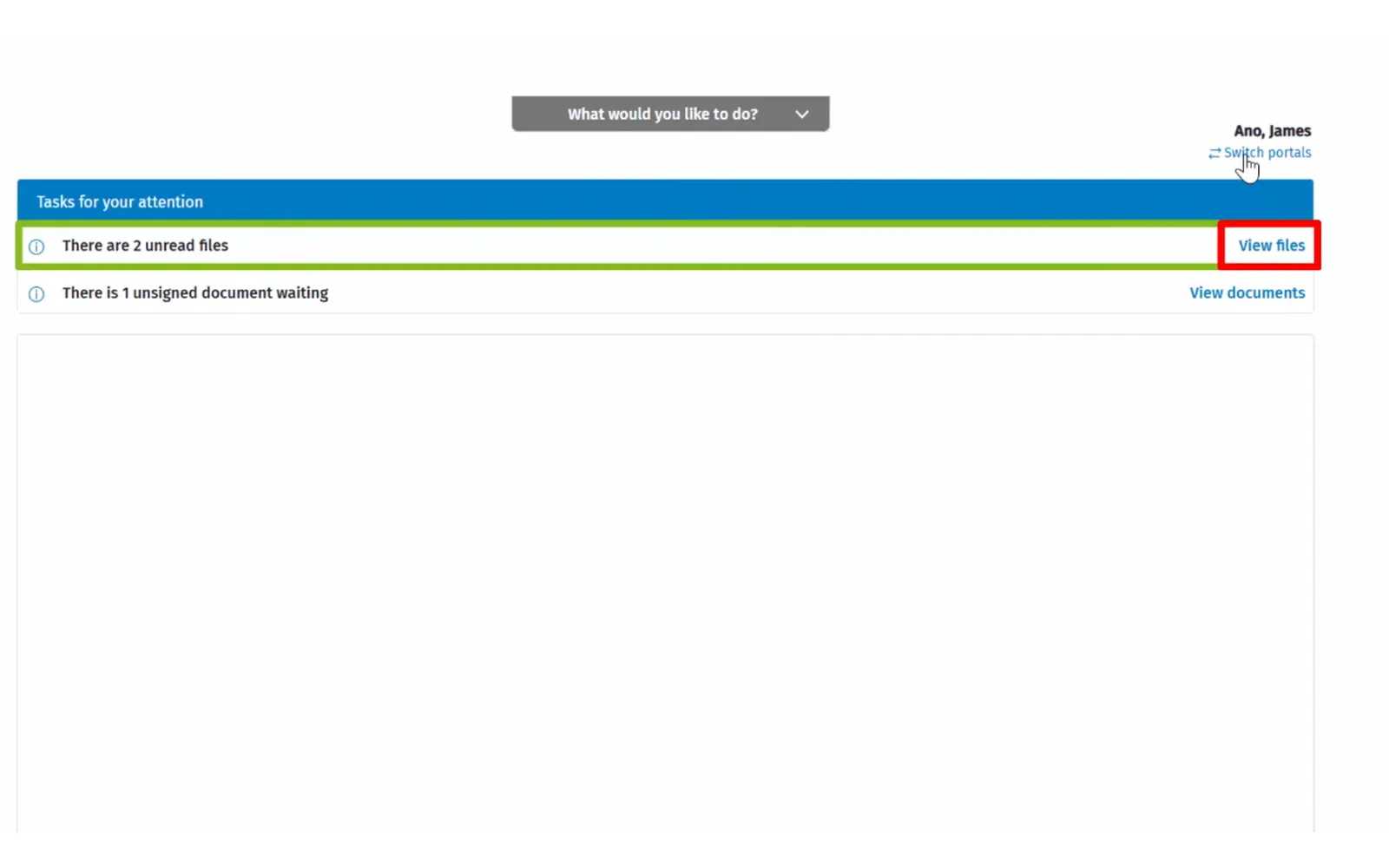
CCH iFirm is Wolters Kluwer’s cloud practice suite for Australian and New Zealand firms, with tax, workpapers, a document vault, a portal and e-signing on one client database.
Why CCH iFirm is on the list
It’s an alternative to XPM, hosted onshore on Azure and sold in the UK since March 2024. CCH iFirm AML adds ID, biometric, sanctions and adverse media checks with ongoing monitoring, and Wolters Kluwer’s Tranche 2 explainer points firms to it.
CCH iFirm pros
- Tax with ATO lodgement in the same system
- AML results filed to the document vault
- Built-in e-signing
CCH iFirm cons
- The portal has no request list or questionnaires.
- Its status page lists four access and loading incidents from 31 August to 11 September 2026.
Integrations: Xero (invoices, Xero Tax sync and ledger import), MYOB, APS, ATOmate and FeeSynergy. E-signature is built in.
Pricing model: Quote-based and modular, priced per app, with CCH iFirm AML sold in its own packages. There’s no public Australian pricing page, so enquiries go through the product page.
Ignition
Best for: Firms that want proposals, engagement letters and payment details signed together
- Type
- Proposals + payments
- Client login
- No (secure link)
- Pricing model
- Tiers by active clients
- Region
- AustraliaUK
Ignition, founded in Australia in 2013, puts proposals, engagement letters, e-signature and payment set-up in one link, with native Xero and XPM connections (XPM from the Pro plan). Since June 2026 it has run ID and AML checks through ComplyCube in early access for Australia and the UK. Clients don’t get a document library or file requests. Price is the most repeated complaint on G2, Capterra and Reddit, since tiers grow with active clients. It’s hosted in the US.
Pricing model: Solo, Core, Pro and Pro+ tiers, capped by active clients and users, with an overage fee per extra client. Payment fees and per-check fees are on top, and Enterprise is quoted.
Tranche 2 and onboarding new clients
From 1 July 2026, Australian accountants must have an anti-money laundering and counter-terrorism financing (AML/CTF) program in place before they provide certain professional services, which AUSTRAC calls designated services. Firms also need to enrol with AUSTRAC.
The designated services are listed in table 6 of the Act. They include:
- Helping buy, sell or transfer real estate
- Helping buy, sell or transfer a company or trust (a controlling interest)
- Holding or managing a client’s money or property for a transaction
- Arranging equity or debt financing
- Selling shelf companies
- Setting up or restructuring companies and trusts
- Acting as (or arranging) a director, secretary or trustee
- Providing a registered office address
Preparing tax returns and bookkeeping aren’t on that list on their own, and AUSTRAC gives tax advice on selling a company as an example of a service that isn’t designated. So not every tax client needs a check, but a sole trader who wants a company set up does.
AUSTRAC’s starter kit, designed for practices with 15 or fewer staff, has the firm:
- Identify the client and service
- Collect details on an onboarding form
- Verify those details
- Watch for triggers
- Proceed, add controls, report or decline
Checking continues as ongoing customer due diligence. In AUSTRAC’s example of a sole trader plumber setting up a company, the checks include politically exposed person and sanctions screening. Identification records are kept for the whole relationship and seven years after the firm stops providing designated services to that client.
AUSTRAC says automated verification or sanctions screening must meet or exceed the processes in the firm’s program. This isn’t legal advice, so check AUSTRAC’s accountant guidance against the services your firm provides.
| What the starter kit asks for | What to check in a tool |
|---|---|
| Collect the client’s details | An AML page you can add to your onboarding request |
| Verify identity | Electronic ID checks with a liveness check |
| Politically exposed person and sanctions screening | Built in, or a separate tool you run next to it |
| Record the decision | The decision logged against the person who made it |
| Ongoing customer due diligence | Whether it re-screens clients on its own, and what each re-screen costs |
| Keep records | Reports you can export and keep for seven years |
Of the tools here, Content Snare runs ID checks through Stripe Identity and screening through ComplyCube, logs each decision on the client’s AML page and re-screens clients automatically for ongoing due diligence, each re-screen using another credit. Seamlss builds checks into its onboarding link, CCH iFirm sells an AML add-on, Ignition’s are in early access, and FYI connects to AMLCC and Annature. Karbon and SuiteFiles don’t state AML or ID checks.
Client portals for UK practices
Many UK practices run IRIS and others Xero, so a connection to one comes first, then client ID checks (which UK rules require far more widely than Australia’s) and where the data sits. FYI and SuiteFiles are on this list too, with their cards in the Australia section, because both are built and mostly reviewed in Australia and New Zealand. FYI hosts UK data in London, and SuiteFiles keeps it in your own Microsoft 365 tenant.
| Tool | Best for | Type | Client login needed? | Works with IRIS or Xero | UK data hosting | Pricing model |
|---|---|---|---|---|---|---|
| Content Snare | Practices chasing records and client ID by secure link | Collection portal | No (secure link) | Xero (XPM), not IRIS | No, hosted in the US1 | Flat plans by volume |
| Glasscubes | Line-item client requests, hosted in the UK | Collection portal | No (secure link)2 | Neither3 | Yes (AWS, UK) | Per user, plus account fee |
| FYI | London-hosted document management that lists IRIS | Document management + portal | Yes (client account) | Both4 | Yes (London) | Per user, minimum seats |
| SuiteFiles | Microsoft 365 files with a native IRIS link | Document management + portal | Yes (client account) | Both, native | Your Microsoft 365 region | Plans by user count |
| IRIS OpenSpace | Sending finished accounts from IRIS for client approval | Document sharing + signing | Yes (client account)5 | IRIS Accountancy Suite6 | Not stated7 | Free with IRIS software |
- Its GDPR terms are in its Data Processing Agreement. The next section has the detail.
- An optional one-time code by email or SMS. The full login portal is on the top plan, Advantage.
- Its help centre lists Zoom as its only integration. It also has an open API, an Outlook add-in and single sign-on.
- Two-way XPM sync, and IRIS listed as an integration.
- Clients can switch on an emailed code as a second step.
- IRIS Elements connects to Xero. OpenSpace doesn’t.
- Hosted on Microsoft Azure, with the region not stated.
Glasscubes
Best for: UK practices that want line-item client requests hosted in the UK
- Type
- Collection portal
- Client login
- No (secure link), optional one-time code
- Pricing model
- Per user, plus account fee
- Region
- UK

Glasscubes is a UK-built portal that accountants buy by service line, such as personal tax, audit and accounts, or payroll.
Why Glasscubes is on the list
It’s the closest UK-built collection portal. Clients work through line items from a secure link that needs no password, with reminders, and the firm verifies or queries each response. It hosts on AWS in the UK and states ISO 27001 and Cyber Essentials certification.
Glasscubes pros
- A status on every line of a request
- Recurring requests and delegation
- MTD Assist for Making Tax Digital
Glasscubes cons
- It doesn’t connect to Xero, XPM, IRIS or other accounting software.
- It has no ID or AML checks.
What Glasscubes users say
Glasscubes is saving a lot of time by automating a lot of the stuff that we would normally do manually such as email chasers
Integrations: an Outlook add-in, SAML single sign-on, an open API and Zoom. E-signature is built in from Professional up.
Pricing model: Per user, per month, plus a monthly account fee, across Essential, Professional and Advantage. E-signature starts on Professional. The login portal, document storage and single sign-on are on Advantage.
IRIS OpenSpace
Best for: IRIS practices sending finished accounts and returns to clients for approval
- Type
- Document sharing + signing
- Client login
- Yes (client account), optional emailed code
- Pricing model
- Free with IRIS software
- Region
- UK
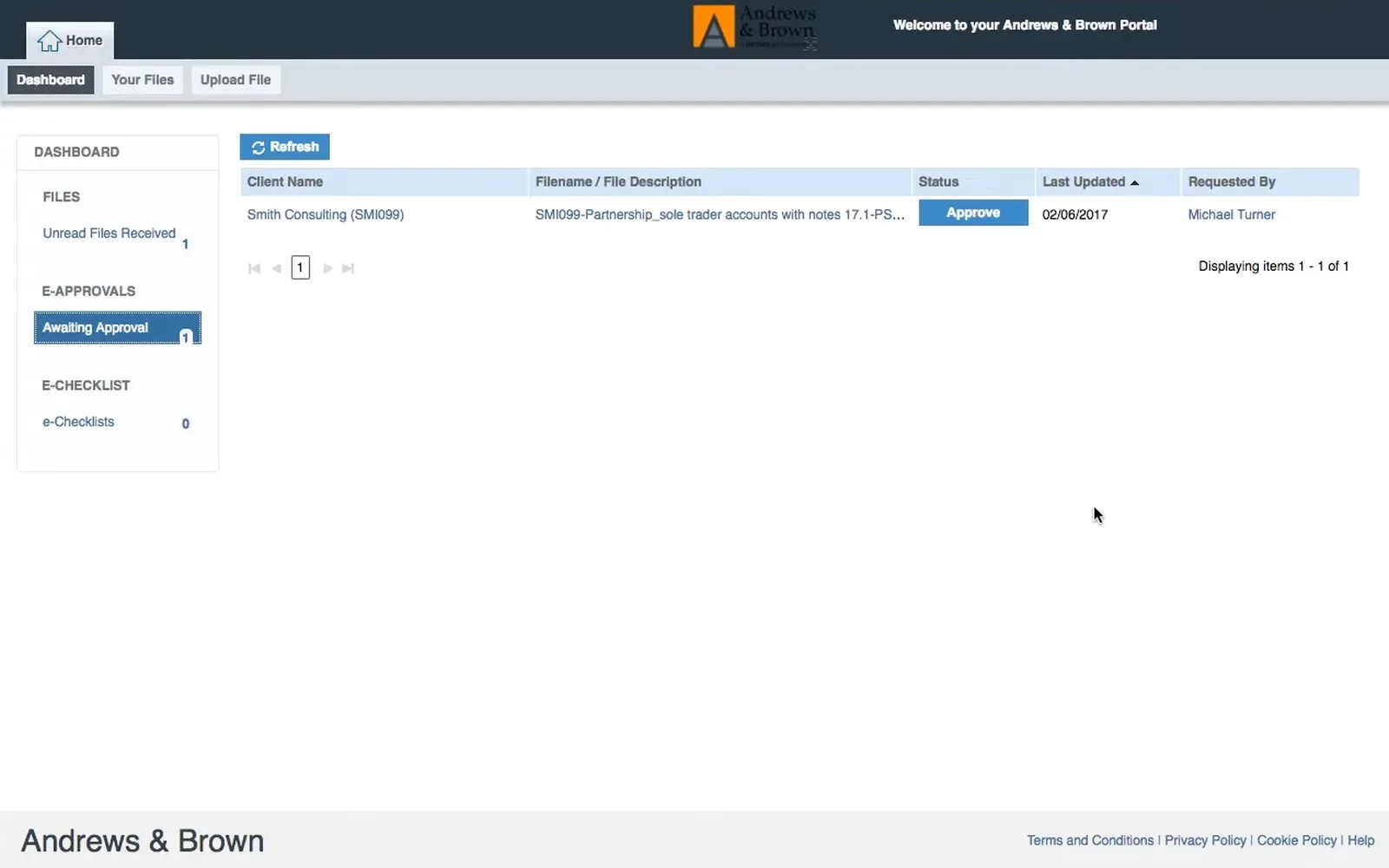
IRIS OpenSpace is IRIS’s white-labelled portal for sending finished accounts, tax returns and payroll reports to clients to approve or sign.
Why IRIS OpenSpace is on the list
It publishes straight from the IRIS Accountancy Suite and chases unsigned documents at 7, 14 and 30 days. IRIS also sells a newer portal in IRIS Elements Practice Management, and IRIS Elements AML separately.
IRIS OpenSpace pros
- Free for IRIS customers
- Pre-filled personal tax checklists that feed IRIS Personal Tax
- An optional emailed code at sign-in
IRIS OpenSpace cons
- It’s built for sending documents out, so there’s no general request list.
- Clients on a phone browser can only upload photos, per IRIS’s own FAQ.
What IRIS OpenSpace users say
I have had access issues and mentioned them to IRIS. Maybe I am too impatient, but I am not sure their 2FA process works as smoothly as it should.
Integrations: the IRIS Accountancy Suite and IRIS Pay (Stripe). E-signature is built in.
Pricing model: Free for IRIS customers, with 1GB of storage. Other firms contact IRIS sales.
AML checks and Making Tax Digital in UK practices
UK practices need ID checks inside the onboarding request. The Money Laundering Regulations 2017 cover external accountants and tax advisers (regulation 8(2)(c)), and HMRC counts professional bookkeeping, accounts preparation and help with tax returns as accountancy services. So, unlike Tranche 2, customer due diligence applies to everyday clients.
A UK accountant checks ID when taking on a client. That means identifying and verifying them and understanding the purpose of the relationship (regulations 27 and 28), and it continues while the relationship lasts (regulation 28(11)). Content Snare re-screens clients automatically, each re-screen using another credit. Records are kept for at least five years after the relationship ends (regulation 40).
HMRC supervises practices unless a professional body such as ICAEW or ACCA does. The government has decided the FCA will take over AML supervision of accountancy firms. Nothing changes yet, the legislation is going through Parliament, and the FCA expects to start in autumn 2028 and finish around 2030.
Making Tax Digital for Income Tax started on 6 April 2026 for sole traders and landlords with qualifying income over £50,000, then over £30,000 from April 2027 and £20,000 from April 2028. They update HMRC every three months, so practices need records from the same clients four times a year, which recurring requests handle.
The single biggest game changing software I’ve ever introduced to our practice. Couldn’t be without it now.
Accountant, Lee Coombes Accountancy Digital
Content Snare is GDPR and UK GDPR compliant. Its Data Processing Agreement includes the EU standard contractual clauses and the UK Addendum, which the ICO recognises for sending UK personal data to the US, and Prighter Group is its EU and UK representative. The data is hosted in the US.
| What the UK rules ask for | What to check in a tool |
|---|---|
| Identify and verify new clients | ID checks inside the onboarding request |
| Keep due diligence records for five years after the relationship ends | Reports you can export |
| Quarterly MTD records | Recurring requests with reminders |
| UK GDPR | Where the data sits, and what the data processing terms say |
Content Snare, Ignition (in early access), CCH iFirm AML and IRIS Elements AML offer ID checks for UK clients. Follow your supervisor’s guidance and HMRC’s page for accountancy service providers.
Client portals for US firms
US firms need a portal that links to their tax software and lets clients sign Form 8879 with an identity check, within the FTC and IRS rules for tax practices. Content Snare hosts on AWS in the United States, so a US firm’s data stays in the US. Karbon is on this list too, with its card in the Australia section.
I’d start a tax return and find I was missing a critical form. With Content Snare, clients answer questions and upload documents all in one place.
Owner, Augur CPA
| Tool | Best for | Type | Client login needed? | Works with US tax software | Form 8879 signing with ID check | Pricing model |
|---|---|---|---|---|---|---|
| Content Snare | Tax document requests, with client data kept in the US | Collection portal | No (secure link) | None1 | No2 | Flat plans by volume |
| Canopy | Seven tax packages, IRS transcripts and KBA signing | Practice management | Yes (account or app) | Drake, Lacerte, UltraTax, CCH and more3 | Yes, KBA credits | Per user |
| TaxDome | Drake or Lacerte firms wanting KBA signing and transcripts | Practice management | Yes (account or app) | Drake, Lacerte, CCH Axcess and more | Yes, KBA option | Per user |
| SmartVault | Document storage whose security page names IRS Publication 4557 | Document management + portal | Yes (client account)4 | Lacerte, ProConnect, ProSeries direct5 | Add-on (DocuSign)6 | Per user, minimum seats |
| SafeSend | Form 8879 signing and K-1 delivery after the return | Tax return signing + delivery | No (link + ID questions)7 | UltraTax, CCH, Lacerte only8 | Yes, KBA built in | Per return, by quote |
| Karbon | Workflow, shared email and KBA signing for US teams | Practice management | No (magic link) | CCH Axcess, ProConnect9 | Yes, KBA credits10 | Per user |
| Intuit Link | Organizers that feed Lacerte, ProConnect or ProSeries returns | Portal inside tax software | Yes (client account)11 | Lacerte, ProConnect, ProSeries only | Not stated12 | Free with Intuit tax software |
- Files go to cloud storage (Google Drive, Dropbox, OneDrive or SharePoint).
- It has a drawn sign-off field on the form. You can send a PDF to FuseSign or Annature for the client to sign, but neither runs KBA.
- Files from the tax software save into Canopy. There’s no two-way sync.
- A guest user account, although SmartVault’s marketing says clients get a link.
- UltraTax CS, Drake and CCH Axcess can be set up.
- Unlimited on the top plan only.
- KBA questions and/or a PIN. Returning clients of its separate client portal use an access code.
- UltraTax CS, GoSystem Tax RS, CCH Axcess, ProSystem fx and Lacerte.
- From its integration directory. We found no Lacerte, UltraTax or Drake integration.
- Two credits per KBA signature.
- An Intuit account at link.intuit.com.
- Intuit eSignature is a separate add-on.
Canopy
Best for: Firms on Drake, UltraTax, Lacerte or CCH that want one US practice system
- Type
- Practice management
- Client login
- Yes (account or app), invited by email
- Pricing model
- Per user
- Region
- US
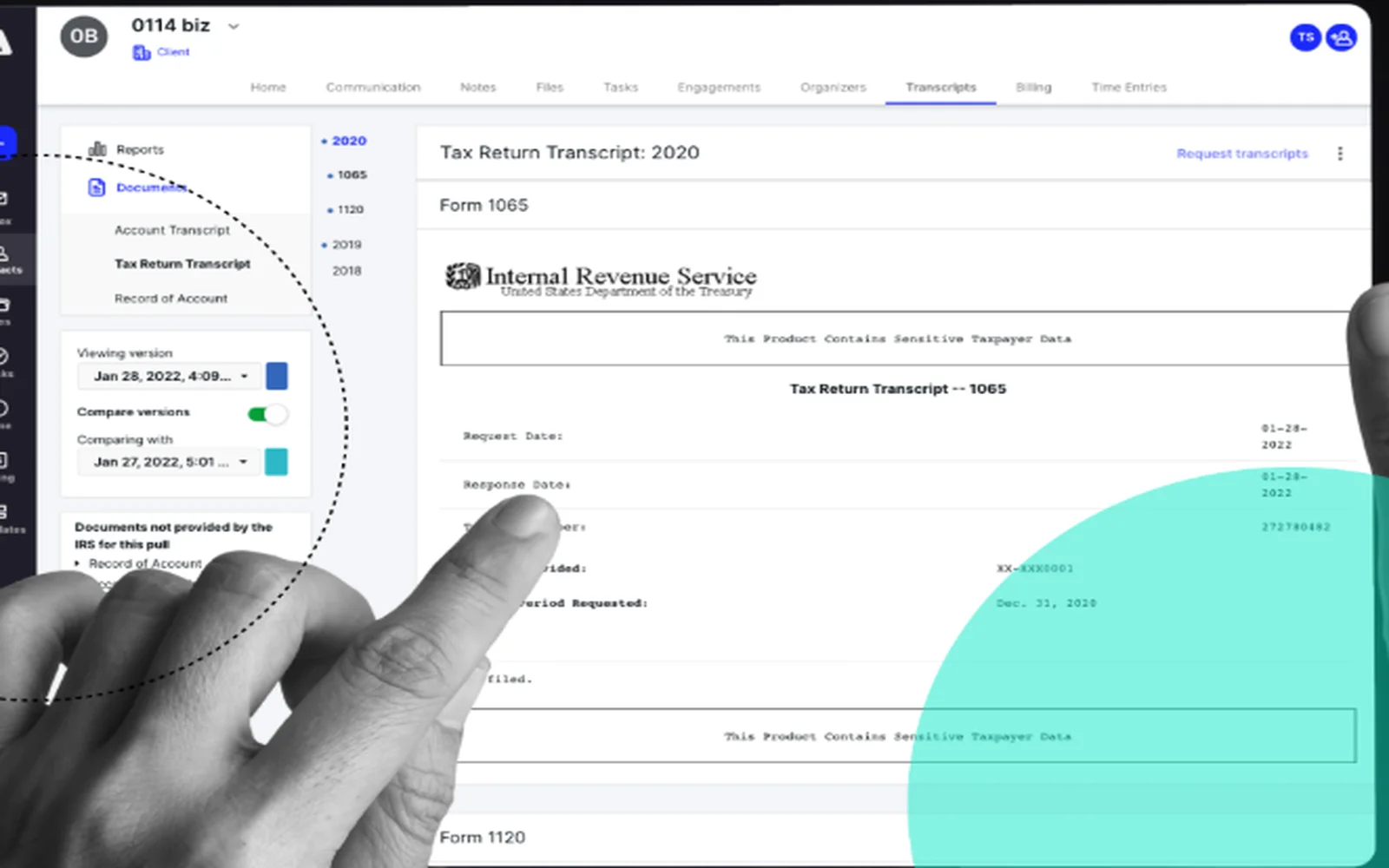
Canopy is a US practice management system whose modules cover CRM, workflow and billing, with e-signature and an app for the client portal.
Why Canopy is on the list
Canopy has the widest tax software list we found. Files from Drake Tax, Lacerte, UltraTax, CCH Axcess Tax, TaxWise, ProSeries and ProConnect save into it, though they don’t sync both ways. It pulls IRS transcripts with 20 years of history and sells KBA checks as credits.
Canopy pros
- Native IRS transcript pulls
- SSNs and TINs hidden behind a permission
- SOC 2 Type II, with MFA and SSO
Canopy cons
- Folder visibility applies to every contact on a client. The only per-contact control is hiding their Files tab completely. That gap nearly made a late 2025 G2 reviewer leave Canopy.
- A 2026 G2 reviewer says staff can’t fill in a questionnaire for a client sitting with them.
What Canopy users say
Canopy also stands out for its tax resolution capabilities, including IRS transcript access and resolution case management
Integrations: the seven tax packages, QuickBooks Online, Xero, Calendly and an API. E-signature is built in.
Pricing model: Three per-user plans (Standard, Plus and Premium) on annual billing, and a quote for enterprise. Usage add-ons include KBA credits for identity-checked signing, and Tax Resolution is a separate per-user module.
TaxDome
Best for: US firms filing on Drake or Lacerte that want KBA signing in one client login
- Type
- Practice management
- Client login
- Yes (account or app), one per joint filer
- Pricing model
- Per user
- Region
- US
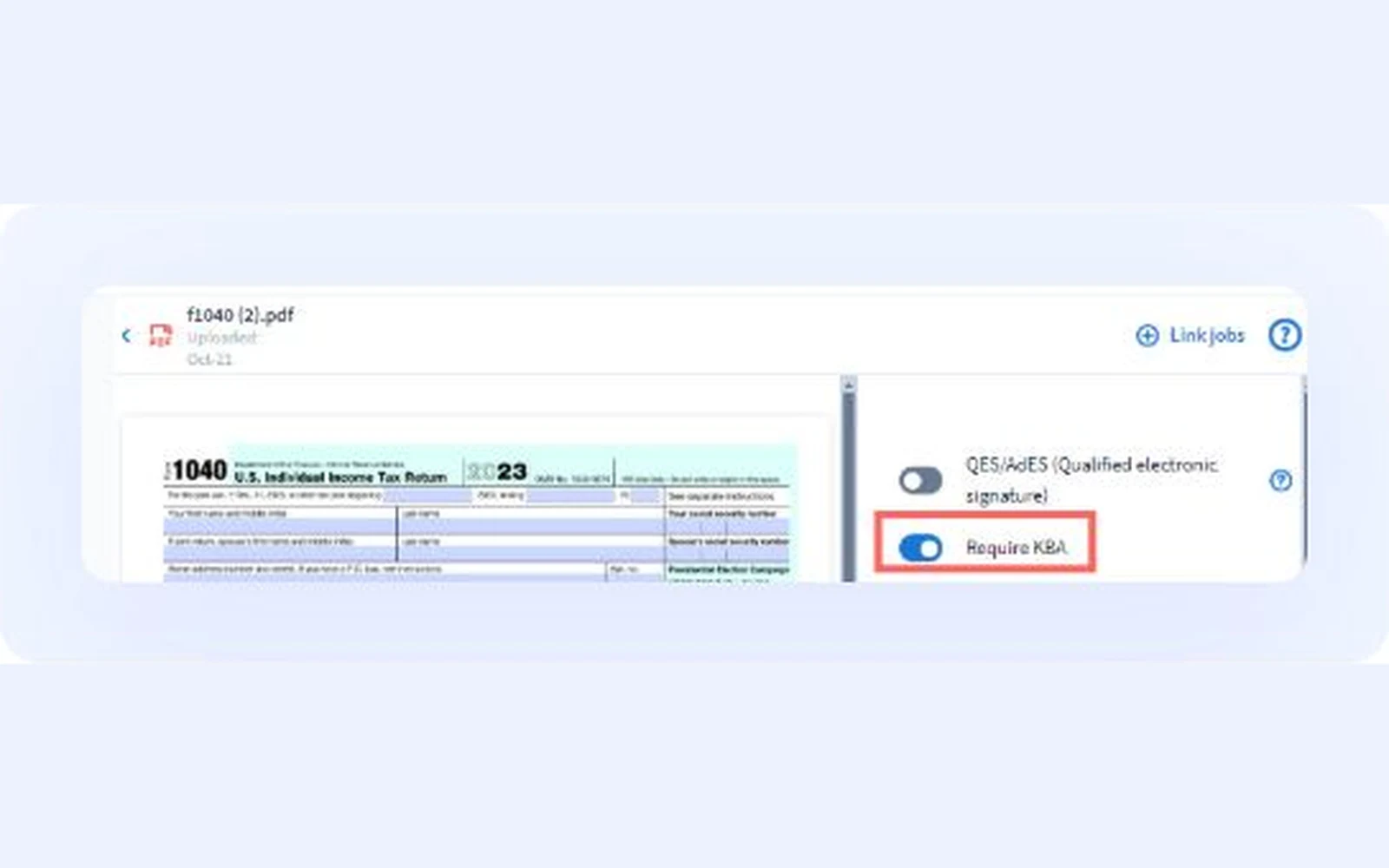
TaxDome is US-built practice management meant to replace several tools, from CRM and invoices to e-signatures and a client app.
Why TaxDome is on the list
It connects to Drake, ATX, CCH Axcess, CrossLink, ProConnect, TaxSlayer, ProSeries, Lacerte and UltraTax CS, and it includes unlimited e-signatures with a KBA option for Form 8879. Its Australian and UK footprint is thinner. Xero connects only through Zapier, and Australia and New Zealand account for 4 of its 730 G2 reviews.
TaxDome pros
- Direct IRS transcript requests
- A separate login for each joint filer
- Seasonal seats for tax-season staff
TaxDome cons
- A G2 reviewer in August 2026 says integrations are narrow and invoicing runs through Stripe only.
- A G2 reviewer in September 2026 waited a month for a phone call from the help desk.
What TaxDome users say
I can see at a glance where each client is in the tax prep process
Integrations: the tax packages above, QuickBooks Online, Companies House, Calendly, Stripe and Zapier. E-signature is built in.
Pricing model: Three per-seat plans paid a year upfront, and the entry plan is for solo practitioners. Seasonal seats cover tax-season staff, and 25 or more seats means a quote.
SmartVault
Best for: US firms that want document storage built around IRS and FTC security rules
- Type
- Document management + portal
- Client login
- Yes (client account), a guest user login
- Pricing model
- Per user, minimum seats
- Region
- US
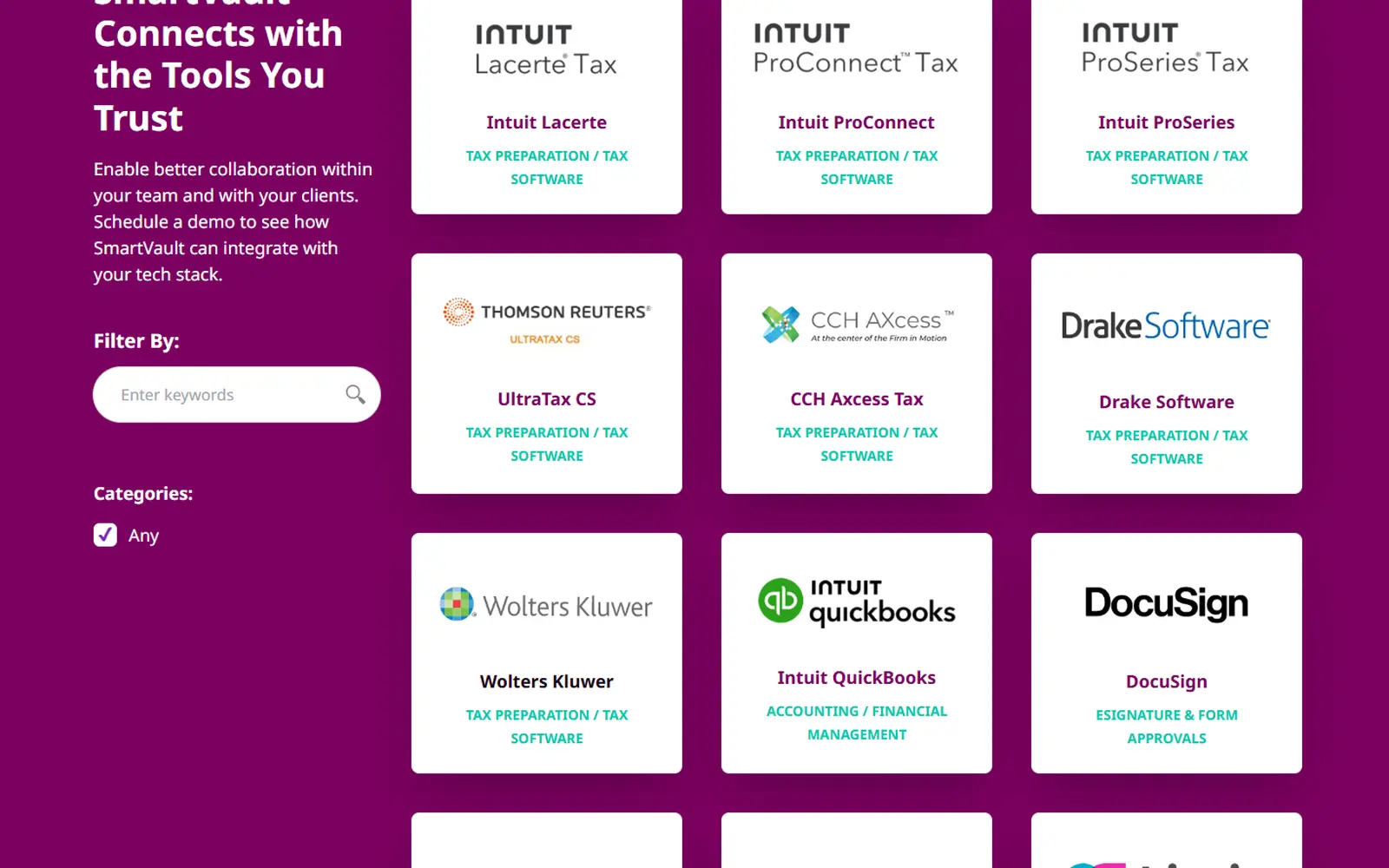
SmartVault is cloud storage for an accounting firm’s documents, plus a client portal and Request Docs, which asks clients for files.
Why SmartVault is on the list
Its security page is the only one in our research that names both IRS Publication 4557 and the FTC Safeguards Rule, and it holds ISO 27001 and SOC 2 Type 2. Lacerte, ProConnect and ProSeries print straight into client folders. Clients sign in as guest users, although the marketing says they get a link.
SmartVault pros
- Enforced MFA and AES-256 encryption
- QuickBooks Online and Desktop connections
- UltraTax CS, Drake and CCH Axcess set-up links
SmartVault cons
- Clients sign with KBA through DocuSign, an add-on below Accounting Unlimited.
- Two Capterra reviewers report price rises at renewal without matching new features (April 2022, November 2024).
What SmartVault users say
It is a very secure program that allows ease of upload for staff & ease of access for clients.
Integrations: the tax packages above, QuickBooks, an open API and DocuSign for signing.
Pricing model: Three per-user plans, billed monthly or annually, with a minimum of two or three users. DocuSign signing is an add-on below Accounting Unlimited, and SmartRequestAI is charged per return on annual plans.
SafeSend
Best for: Firms that want Form 8879 signing and K-1 delivery in one place after the return
- Type
- Tax return signing + delivery
- Client login
- No (link + ID questions)
- Pricing model
- Per return, by quote
- Region
- US

SafeSend, which Thomson Reuters bought in early 2025, collects organizers before the return. Afterwards, clients sign and pay for the return in SafeSend, and it delivers the return with any K-1s.
Why SafeSend is on the list
Clients open a secure link and answer KBA questions or use a PIN, and they don’t need an account. It’s hosted on Microsoft Azure in the US, and its integrations are limited to UltraTax CS, GoSystem Tax RS, CCH Axcess, ProSystem fx and Lacerte.
SafeSend pros
- Identity-checked signing without a client account
- K-1 delivery in the same flow
- Payment collected with the signed return
SafeSend cons
- Its security overview describes a SOC 2 Type 1 examination rather than Type 2.
- One r/taxpros user says a spouse can’t sign the engagement letter until the taxpayer has, inside the organizer module.
- A G2 reviewer in February 2026 says it doesn’t integrate well with UltraTax.
Integrations: the five tax packages above. E-signature is the core of the product.
Pricing model: By quote, charged per return or per delivery. SafeSend’s pricing page says knowledge-based authentication carries no extra fee.
Intuit Link
Best for: Lacerte, ProConnect or ProSeries firms that want organizers feeding the return
- Type
- Portal inside tax software
- Client login
- Yes (client account), an Intuit account
- Pricing model
- Free with Intuit tax software
- Region
- US
Intuit Link is a free client portal for Lacerte, ProConnect and ProSeries. Clients fill in the organizer, work through a document checklist and upload files, and W-2 and 1099 figures flow into the return. They need an Intuit account at link.intuit.com, and there’s no app, so they use a phone browser. Intuit eSignature is a separate add-on. One r/taxpros practitioner notes it’s an upload portal rather than long-term storage, so firms add a document system.
Pricing model: Included with Lacerte, ProConnect and ProSeries at no extra cost. Intuit eSignature is a separate add-on.
The IRS and FTC rules that touch your portal
Under the FTC Safeguards Rule, a firm that prepares tax returns is a financial institution (16 CFR 314.2), and the FTC’s guidance names tax preparation firms. The firm needs a written information security program (314.3(a)), multi-factor authentication for anyone accessing its information systems (314.4(c)(5)) and encryption of customer information in transit and at rest (314.4(c)(3)). Since 13 May 2024, it must tell the FTC within 30 days of discovering a breach involving the unencrypted information of at least 500 consumers (314.4(j)(1)).
The IRS points preparers at the same rule. Publication 4557 explains it, Publication 5708 is a template for the written plan aimed at smaller practices, and PTIN applicants confirm on Form W-12 that they’re aware the law requires one.
Clients can e-sign Form 8879 when the firm’s software supports it. For remote signing, the software must verify identity, usually with KBA questions drawn from the client’s credit report, and after three failed attempts the firm needs a handwritten signature (Publication 1345). The firm keeps a tamper-proof record for three years.
| What the rule asks for | What to check in a tool |
|---|---|
| MFA for anyone accessing client data | Whether you can enforce two-factor sign-in for your whole team |
| Encryption in transit and at rest | Whether the vendor says it does both |
| Identity checks for remote Form 8879 signing | Whether the tool runs KBA, or signing happens in your tax software or a tool like SafeSend |
| A tamper-proof signature record kept for three years | An activity log showing who signed, viewed or changed what |
Content Snare encrypts data in transit and at rest, with a separate key for each company’s stored answers, lets you enforce two-factor sign-in for everyone and logs every view, submission and change. It doesn’t run KBA. Read the IRS and FTC guidance for your practice, starting with Publication 4557.
What else we looked at
Xero firms can use Ask and document packs in Partner Hub (formerly Xero HQ), where clients reply after logging in to Xero. UK firms wanting practice management with a portal can use IRIS Elements Practice Management (formerly Senta), with IRIS Elements AML as a separate add-on.
- Liscio: a US portal that pitches FTC Safeguards and Publication 4557 compliance, though its security page returned a 404 in September 2026.
- ShareFile: file sharing with request lists on its higher plans, for firms whose clients mostly send large files.
- Financial Cents: workflow for small US and Canadian firms, with KBA signing for Form 8879 as a paid add-on.
- Client Hub: for bookkeepers who need clients to explain uncategorised QuickBooks Online and Xero transactions. It doesn’t link to tax software.
Next steps
Open your country’s shortlist and write down the systems your firm can’t change, usually XPM or IRIS in Australia and the UK, or your practice management and tax software in the US. Cross off every tool that doesn’t connect to them.
Then build a real new-client request, ID check included, in the two tools left. Send it to yourself, complete it on your phone and time the client side. Keep the faster one.
FAQ
Do Australian accountants need AML software for Tranche 2?
No law requires software. From 1 July 2026, firms providing designated services, such as setting up companies and trusts or holding client money, need an AML/CTF program. Tax returns and bookkeeping aren’t designated services on their own. Content Snare, Seamlss, CCH iFirm AML and Ignition help with ID checks, screening and records, and Content Snare has an AML-only plan for firms that only need the checks.
Which client portals integrate with Xero Practice Manager?
Content Snare, FYI, Karbon, SuiteFiles and Seamlss connect to XPM natively, and Ignition does for proposals. TaxDome reaches Xero only through Zapier. CCH iFirm replaces XPM rather than connecting to it, and IRIS OpenSpace works with IRIS software instead. Some of these integrations need a higher plan.
What client portal software do UK accountants use?
UK practices choose from Glasscubes, IRIS OpenSpace, FYI and SuiteFiles, plus Content Snare, Karbon and TaxDome. Whichever you pick needs to check new clients’ ID, because the Money Laundering Regulations 2017 cover ordinary bookkeeping, accounts and tax return work in the UK.
Which client portals work with Lacerte, UltraTax or Drake?
Canopy connects to all three, and TaxDome’s integrations page lists all three. SmartVault takes returns straight from Lacerte and connects to UltraTax CS and Drake with some setup. SafeSend works with UltraTax CS and Lacerte but not Drake, and Intuit Link works with Lacerte only, of the three.
Is TaxDome used in Australia and the UK?
Yes, but thinly. TaxDome has Australian and UK pages, ATO deadline templates and a Companies House integration, but in Australia Xero connects only through Zapier and there’s no native MYOB or ATO link. Australia and New Zealand make up 4 of its 730 G2 reviews.